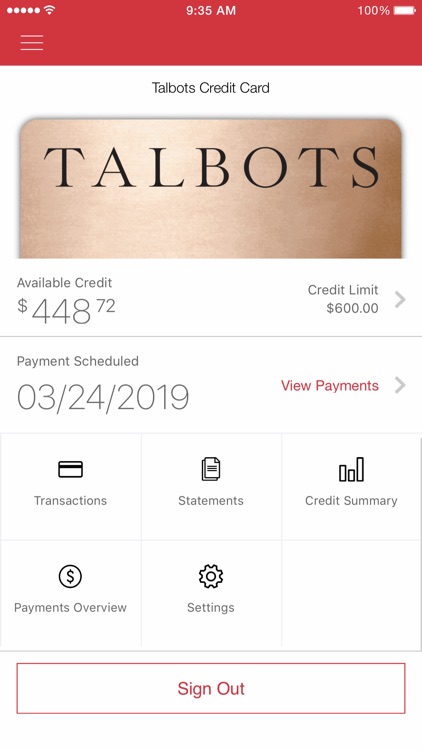
Talbots Credit Card, issued by Bread Financial (formerly Comenity Bank), offers rewards like Style Points on purchases. Customers can pay bills securely online via EasyPay or account login, by phone, mail, or through doxo, with auto-pay available to avoid fees.
Learn how to pay your Talbots Credit Card bill, set up auto payments, view statements, and contact support using the official links below.
Talbots Credit Card – Manage Account
https://d.comenity.net/talbots
Sign in to your account, view balances, transactions, and pay your bill. Use EasyPay for quick payments without logging in.
Talbots Credit Card – Sign In
https://c.comenity.net/ac/talbots/public/sign-in
Access your Talbots World Mastercard® Credit Card or Talbots Credit Card account for full management.
Payment Options
1. Pay Online with EasyPay or Account
- Website: Visit d.comenity.net/talbots/ to log in or use EasyPay.
- Features:
- One-time or recurring payments via bank account (ACH) or credit/debit card.
- Enroll in auto-pay for fee-free, automatic deductions.
- View bill history, statements, and transaction details.
- Secure 24/7 access with real-time processing.
- How to Use EasyPay: Enter your account number and ZIP code—no login required.
- Fees: No fee for ACH auto-pay; convenience fees may apply for card payments.
2. Pay By Phone
- Phone Numbers:
- Talbots Credit Card: 1-800-225-8204
- Talbots World Mastercard® Credit Card: 1-877-855-4457
- TDD/TTY: 1-800-695-1788
- Available: 24/7 automated system for payments.
- Accepted: Bank account or credit/debit card.
- Note: Expedited fees may apply for same-day processing.
3. Pay By Mail
- Mailing Address: Comenity Bank PO Box 182119 Columbus, OH 43218-2119
- Instructions: Include your payment stub with check or money order (no cash). Allow 7-10 days for processing.
4. Payment via doxo
- doxo.com: Pay with credit/debit card, Apple Pay, or bank account. Free for bank transfers; fees may apply for cards.
Account & Billing Support
- Customer Service Phone: 1-800-225-8204 (Talbots Credit Card) or 1-877-855-4457 (Talbots World Mastercard®); available 24/7 for payments, Mon-Fri 8 a.m.-9 p.m. ET for live support.
- TDD/TTY: 1-800-695-1788
- Email: Use the secure message center in your online account.
- Mailing Address: Comenity Bank, PO Box 182119, Columbus, OH 43218-2119
FAQs
How do I pay my Talbots Credit Card bill?
Pay online via EasyPay or account login at d.comenity.net/talbots/, by phone at 1-800-225-8204, by mail, or through doxo.
What are the benefits of the Talbots Credit Card?
Earn Style Points on purchases (25% faster with Premier card), free shipping on all orders when using the card, and access to exclusive rewards.
What bank issues the Talbots Credit Card?
Bread Financial (formerly Comenity Bank) issues and manages the Talbots Credit Card accounts.
Is my personal information secure?
Yes, all transmissions are encrypted, including account numbers, SSN, and personal details.
How do I set up auto-pay?
Log in to your account at d.comenity.net/talbots/, navigate to payments, and select recurring ACH from your bank—no fees.
Can I pay without an online account?
Yes, use EasyPay on the website or call the automated phone line.
What if I need to update my information?
Log in to your account or contact customer service to update address, phone, or email securely.
Tips for Managing Your Talbots Bill
- Enroll in auto-pay and paperless statements to save time and avoid late fees.
- Keep payment confirmations for your records.
- Use official channels only to prevent scams.
- Monitor your account regularly for rewards and statements.
- For disputes or questions, use the secure message center in your online account.
Talbots Credit Card offers simple, secure bill pay—start with EasyPay for instant access!
Just checking why my Talbots credit is denied. Couldn’t use it on my last order.