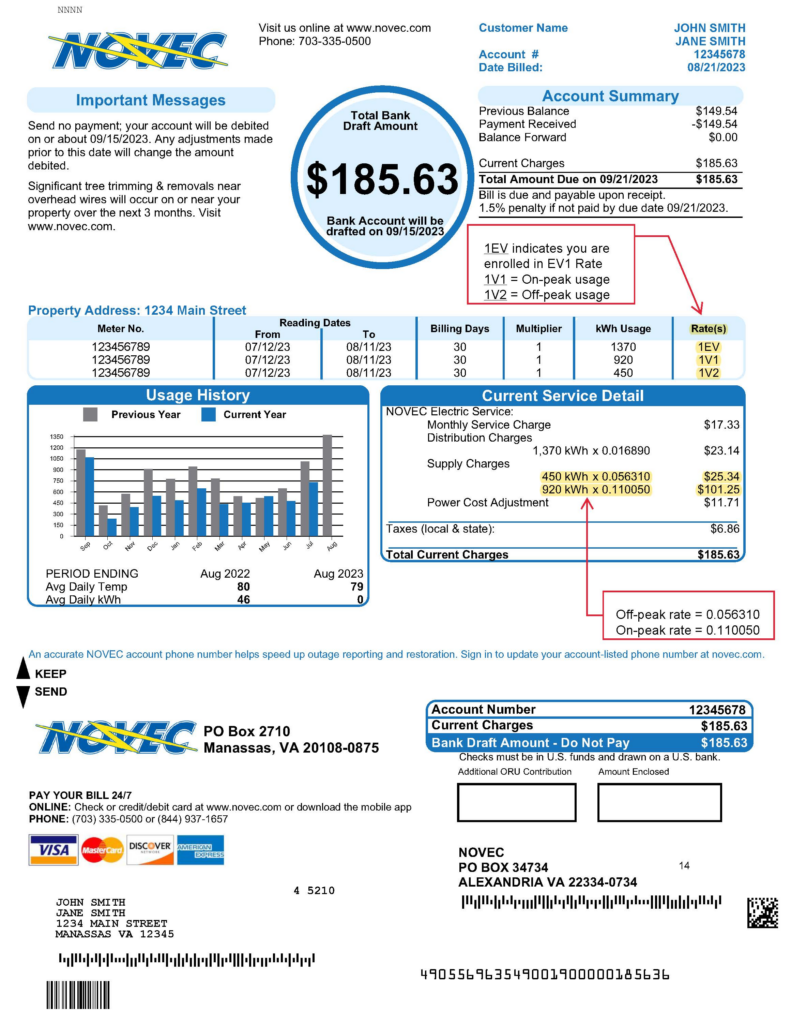
Pay your Northern Virginia Electric Cooperative (NOVEC) bill quickly and securely using the official SmartHub portal. Make one-time payments, enroll in Auto Pay, view usage, and manage your account with ease.
- Pay NOVEC Bill Online – SmartHub Pay Now (One-time payment – no fee, just enter your account number)
- NOVEC SmartHub Login – Full Account & Auto Pay (Register or log in for payments, bill history, and recurring Auto Pay)
How to Pay Your NOVEC Bill
Northern Virginia Electric Cooperative (NOVEC) serves more than 182,000 customers in Northern Virginia. The cooperative offers convenient payment options through SmartHub, including online payments with no convenience fee for the Pay Now option.
Login to Pay or Guest Pay
SmartHub Pay Now (one-time/guest-style payment):
Make a quick payment without full registration. Enter your NOVEC account number — no login required and no fee.
Full SmartHub Account:
Register or log in for complete features:
- View current bill and payment history
- Enroll in Auto Pay (bank account or credit/debit card)
- Paperless billing and usage tracking
- Mobile app access
Access the portal directly from novec.com or the links above.
Pay by Phone (24/7 Automated)
Call 844-574-1512 for automated payments.
You will need to set a one-time PIN (required for each payment). You can also set up Auto Pay over the phone.
For general customer service and billing questions:
Main Customer Care: 703-335-0500 or 888-335-0500 (Monday–Friday, business hours).
Payment Address (Mail)
Mail checks or money orders to:
Northern Virginia Electric Cooperative
P.O. Box 34734
Alexandria, VA 22334-0734
Include the return portion of your bill or your account number for faster processing.
In-Person or Pay in Store
Payments can be made in person or dropped off at NOVEC business offices with kiosks and drop boxes:
- Lomond Business Center: 10323 Lomond Drive, Manassas, VA 20109 (lobby hours 8 a.m.–4 p.m.)
- Minnieville Office: 14500 Minnieville Road, Woodbridge, VA 22193 (payment kiosk available)
No widespread retail “pay in store” partners (such as convenience stores) are offered.
NOVEC Mobile App & Payment Assistant
Download the MyNOVEC SmartHub app (available on Apple App Store and Google Play) to:
- Pay your bill securely
- Enroll in or manage Auto Pay
- View bills, usage history, and payment history
- Report outages and receive alerts
The app is fully integrated with the SmartHub portal and supports biometric login.
Auto Pay and Payment Options
Enroll in Auto Pay through SmartHub or the mobile app for automatic monthly deductions from your bank account or credit/debit card. This is the easiest way to avoid late fees and missed payments.
Fees and Late Payments
- SmartHub Pay Now: No convenience fee.
- Credit/debit card payments via phone or other methods may incur a small fee (check current rates).
- Late payments are subject to penalties as outlined in your bill. Service may be disconnected for non-payment.
- Contact customer service early to arrange a payment plan if needed.
Contact NOVEC
- Payments (Automated): 844-574-1512
- Customer Care: 703-335-0500 or 888-335-0500
- Lomond Business Center: 10323 Lomond Drive, Manassas, VA 20109
- Official Website: www.novec.com
- SmartHub Portal: novec.smarthub.coop
Frequently Asked Questions
How do I pay my NOVEC bill online?
Use SmartHub Pay Now for a quick one-time payment (no fee) or log in to your SmartHub account for full management and Auto Pay.
Can I make a one-time payment without logging in?
Yes. Go to the SmartHub Pay Now page and enter your account number — no registration or login is required.
What is the phone number to pay my NOVEC bill by phone?
Call the automated payment line at 844-574-1512. You will need to set a one-time PIN.
Where do I mail my NOVEC payment?
Send payments to: Northern Virginia Electric Cooperative, P.O. Box 34734, Alexandria, VA 22334-0734.
How do I set up Auto Pay for my NOVEC bill?
Log in to SmartHub or use the MyNOVEC app, go to the Auto Pay section, and enroll with your bank account or card.
Is there a mobile app for NOVEC bill pay?
Yes. Download the MyNOVEC SmartHub app from the Apple App Store or Google Play to pay bills, manage Auto Pay, and view your account.
How do I avoid late fees on my NOVEC bill?
Enroll in Auto Pay, pay early through SmartHub Pay Now, or contact customer service before the