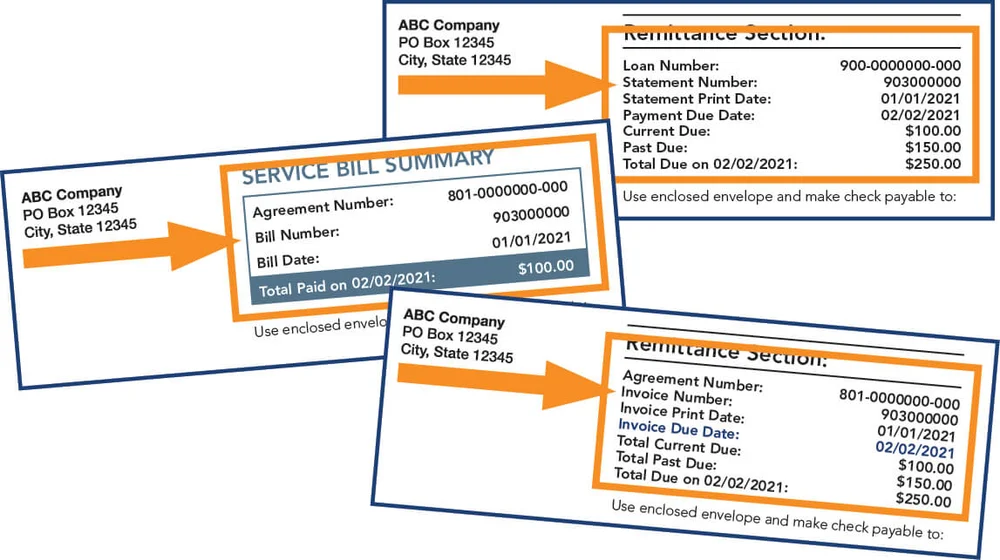
Pay your AccountServicing.com invoice quickly and securely for equipment leases or financing agreements. Make one-time ACH payments or set up recurring automatic payments with no convenience fees on bank account drafts.
- Make One-Time Payment – AccountServicing.com (Invoice number + first 5 characters of billing ZIP code required)
- Set Up Recurring ACH Payments (Automatic bank draft for current and future invoices)
How to Pay Your AccountServicing.com Bill
AccountServicing.com processes payments for equipment lease and financing invoices. Payments are handled through a secure online portal using only ACH (bank account) drafts. Credit/debit cards are not accepted for online payments.
Login to Pay or Guest Pay
One-Time Payment (Guest-Style):
No full account registration is required.
- Visit the secure payment tool and enter your invoice number and the first 5 characters of your billing ZIP code.
- Payments are limited to the most recent invoice only (pay each invoice separately if multiple are due).
Recurring Payments / Auto Pay:
Set up automatic ACH drafts for all current and future agreements listed on your invoice. An email address is required for confirmations.
Pay by Phone
No public automated or live payment phone line is listed. Contact information is provided on your invoice or statement. For questions, use the contact details printed on your invoice.
Payment Address (Mail)
Mail checks or money orders to:
Account Services Processing Center
PO Box 660831
Dallas, TX 75266-0831
Include your invoice number and agreement number for proper processing. Allow extra time for mail delivery.
In-Person or Pay in Store
No in-person payment locations or retail “pay in store” partners are offered. All payments must be made online or by mail.
Mobile App & Payment Assistant
No dedicated mobile app is available. Use the responsive online payment portals on your smartphone or tablet to make one-time or recurring payments.
Auto Pay (ACH) is the recommended payment assistant for recurring invoices. Set it up before the due date to ensure automatic processing.
Fees and Late Payments
- ACH payments: No convenience fees for bank account drafts.
- Payments made before 7:00 p.m. EST post on the next business day.
- Late payments may incur late fees or other charges per your agreement terms.
- Contact the number on your invoice if you need a payment arrangement.
Contact AccountServicing.com
- Contact information: Printed on your invoice or statement
- Mailing Address: PO Box 660831, Dallas, TX 75266-0831
- Official Payment Site: accountservicing.com
Have your invoice number and agreement number ready for any inquiries.
Frequently Asked Questions
How do I make a one-time payment on AccountServicing.com?
Go to the secure payment link, enter your invoice number and the first 5 characters of your billing ZIP code, and submit an ACH payment from your bank account.
Can I make a guest payment without registering?
Yes. One-time payments do not require a full login or registration. You only need your invoice number and partial billing ZIP code.
How do I set up recurring ACH payments?
Visit the recurring payment page and submit your banking information before 12:00 p.m. CT the business day before the due date. This covers all agreements on your invoice.
What payment methods does AccountServicing.com accept?
Only ACH (electronic check from checking or savings account) is accepted for online payments. Credit and debit cards are not supported.
Where do I mail my AccountServicing.com payment?
Send checks to: Account Services Processing Center, PO Box 660831, Dallas, TX 75266-0831.
What information do I need to make a payment?
You will need your invoice number and the first 5 characters of your billing ZIP code for verification.
How do I avoid late fees on my AccountServicing.com invoice?
Set up recurring ACH payments or pay early using the one-time payment portal. Payments made before 7:00 p.m. EST post the next business day.
How do I obtain a copy of my invoice?
Log in or use the “Obtain Copy of Invoice” option on the AccountServicing.com homepage.
Information updated as of April 2026 from official AccountServicing.com sources. Always verify the latest details directly on accountservicing.com or on your invoice, as payment instructions and contact information are invoice-specific.