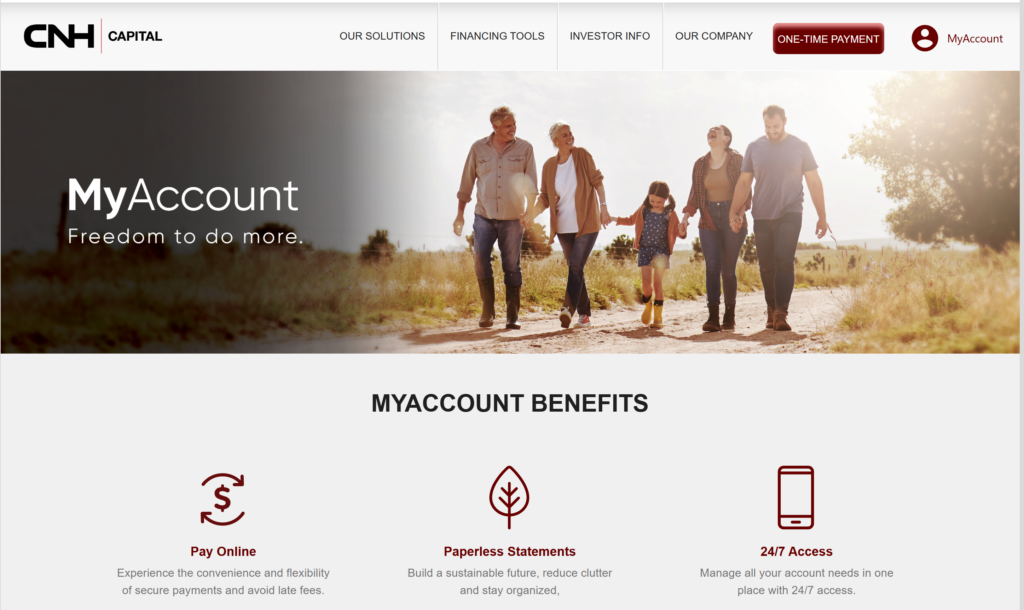
If you finance or lease equipment through CNH Industrial Capital, you can manage your account and make payments online with MyAccount, or pay by phone or mail. Using the official CNH Industrial Capital payment tools helps you avoid mail delays, late fees, and processing issues.
👉 Pay your bill here:
How to Pay Your Bill
Pay Without Login (One‑Time Online Payment)
If you just want to make a single payment and don’t need full online access, you can use CNH Industrial Capital’s one‑time online payment page.
Steps:
- Go to One‑Time Payment:
- On the payment page, enter the information from your invoice, typically including:
- Your account number or loan/lease number,
- Your billing ZIP/postal code,
- Any other fields requested to locate your account.
- Once your account is found, review your current balance and amount due.
- Choose your payment method (usually bank account/ACH; credit card availability can vary by product and region).
- Enter the amount you want to pay and confirm the payment.
- Save or print the confirmation page for your records.
Note: Online payment options are explicitly listed as available in the U.S. only on some CNH pages.
Pay Online (With MyAccount)
For full 24/7 online management—making payments, enrolling in AutoPay, going paperless, and viewing payment history—use MyAccount.
MyAccount features:
- View loan/lease balance,
- Make one‑time payments,
- Enroll in Automatic Payment Plan,
- View payment history,
- Manage paperless statements.
Steps:
- Go to MyAccount:
- If you already have a profile, log in with your credentials.
- If you are new, use the registration link and enter information from your CNH Industrial Capital account (such as account number and personal/business details) to set up access.
- Once logged in, go to the Payments / Make a Payment section.
- Choose whether to:
- Select or add your bank account or other available payment method, enter your payment amount, and submit.
- Confirm the transaction and keep the confirmation details.
MyAccount also lets you update some of your personal data and manage privacy options.
Pay by Phone
If you prefer to pay by phone or are having website trouble, you can use CNH Industrial Capital’s automated phone system or speak with a representative.
Key U.S. customer service line:
- CNH Industrial Capital Customer Service (U.S.): 1‑800‑501‑5711
- 24/7 automated account access,
- Representatives available Monday–Thursday 7:00 a.m.–6:00 p.m. CST, Friday 7:00 a.m.–5:00 p.m. CST.
Steps:
- Call 1‑800‑501‑5711.
- Use the automated phone system or choose to speak to a Customer Service Representative.
- Have your customer account number ready to access your account information.
- Follow the prompts to make a payment, and provide your bank account or other payment details as requested.
- Confirm the amount and note any confirmation number given.
For Canadian accounts, CNH lists a separate number:
- CNH Industrial Capital Canada customer service: 1‑877‑222‑7217 (24/7 automated access; reps Monday–Friday 8:00 a.m.–5:00 p.m. EST).
Pay In Person
CNH Industrial Capital itself doesn’t run general walk‑in payment centers like a utility, but you may have options through your equipment dealer.
Realistic approach:
- Many customers pay through online or mail; if you want to pay at your Case IH, New Holland, or CASE Construction dealer, call the dealer first and ask if they can accept payments on your CNH Industrial Capital account.
- If they do accept payments, bring your account number and verify how they will submit the payment on your behalf.
If your goal is fastest posting and clear tracking, MyAccount, one‑time online payment, or phone are more reliable than dealer hand‑offs.
Pay In Store (Retail Locations)
There is no indication that CNH Industrial Capital uses generic retail locations (like Walmart, CVS, or grocery stores) as authorized payment centers. Some third‑party bill‑pay services might claim to send payments to CNH, but they are not listed on CNH’s official pages and may cause delays.
For time‑sensitive or large payments, use:
- MyAccount,
- One‑time online payment, or
- Phone/mail using official CNH details.
Pay by Mail
You can mail payments to CNH Industrial Capital, but you must use the correct address for your region and account type.
U.S. mailing addresses (from official CNH pages):
- CNH Industrial Accounts
P.O. Box 71264
Philadelphia, PA 19176‑6264
Some U.S. CNH pages also reference:
And the general contact page lists:
Because multiple P.O. boxes exist for different purposes (accounts, lease end, regional handling), always follow the remittance address printed on your specific invoice or statement.
Mail steps:
- Check your CNH Industrial Capital invoice for the exact remit‑to mailing address.
- Write a check or money order payable to the payee shown (e.g., CNH Industrial Capital or CNH Industrial Accounts); never mail cash.
- Write your account number clearly on the memo line.
- Include any payment coupon or payment slip supplied with your bill.
- Mail the payment early enough that it arrives by the due date; CNH notes that mail delays across the U.S. are impacting timely receipt of customer payments.
If your payment is close to the due date or already late, consider paying online or by phone instead of relying solely on mail.
Common Issues and Fixes
Cannot Log In
- Confirm you’re on the correct site: https://myaccount.cnhindustrialcapital.com (not a generic CNH site or third‑party).
- If you forgot your password or username, use the recovery options on the MyAccount login page.
- If accessibility is a problem, CNH invites customers to call 1‑800‑501‑5711 for help navigating or accessing the content.
- If you can’t resolve login issues quickly and your payment is urgent, use the one‑time online payment page or pay by phone.
Forgot Account Number
- Your customer account number is printed on your CNH Industrial Capital invoices and statements.
- If you can’t find a bill, call 1‑800‑501‑5711 (U.S.) or 1‑877‑222‑7217 (Canada) and verify your identity (name, address, phone) to retrieve your account number.
- Once you have your account number, you can register or log into MyAccount and use online services.
Payment Not Going Through
- Double‑check all bank routing/account numbers or other payment details you entered online.
- Ensure you have sufficient funds and that your bank is not blocking the transfer.
- If the online page errors out or times out, try again later or use a different browser/device; if you’re close to the due date, call 1‑800‑501‑5711 to make the payment by phone.
- If you think a payment was sent but not credited, gather your bank proof and call customer service so they can investigate.
Website Not Working
- Verify you are on official CNH URLs: myaccount.cnhindustrialcapital.com or cnhcapital.com.
- Clear your browser cache or try another device or network.
- If the site remains unavailable and your payment is time‑sensitive, use the phone payment option or mail a payment via an expedited service, then notify customer service.
Tips to Reduce or Manage Your Bill
Payment Plans
CNH Industrial Capital offers Automatic Payment Plans and online management to help you keep payments consistent and on time.
Practical steps:
- Log into MyAccount to enroll in Automatic Payment Plan so your payment drafts automatically from your bank each month.
- Contact customer service if you need to discuss adjusting payment timing within what your contract allows.
Negotiation Tips
Loan and lease terms are typically set in your contract, but you might still manage your obligations by:
- Calling CNH Industrial Capital if you anticipate difficulty making payments and asking what options exist within your agreement.
- Talking with your equipment dealer about any refinancing, trade‑in, or productivity programs that might reduce overall costs.
Avoiding Late Fees
- Use Automatic Payment Plan or calendar reminders to ensure payments are made on or before the due date.
- If mailing checks, factor in CNH’s notice that U.S. mail delays are affecting timely receipt; mail earlier or use online/phone payments.
- Monitor your MyAccount or statements regularly to catch any issues before they result in late fees.
Assistance Programs
CNH Industrial Capital doesn’t publish a broad hardship‑assistance program on the payment pages, but they invite customers to reach out for support.
If you’re struggling:
- Call the appropriate customer service line (U.S.: 1‑800‑501‑5711; Canada: 1‑877‑222‑7217) and explain your situation.
- Ask if they can discuss short‑term arrangements, any flexibility within your contract, or additional options with their Asset Management / Lease End team if your issue involves end‑of‑term obligations.
FAQs
1. What is the main site to pay my CNH Industrial Capital bill online?
Use MyAccount at https://myaccount.cnhindustrialcapital.com for full account access, or the one‑time payment page at https://www.cnhcapital.com/payonline for a quick single payment.
2. What phone number do I call to make a payment?
Call 1‑800‑501‑5711 for U.S. customer service and 24/7 automated account access; you can use the automated system or speak with a representative to make a payment.
3. Is there a fee to pay online?
CNH’s pages do not prominently list standard online payment fees; any applicable fees should be disclosed on the payment screens before you confirm.
4. Can I pay by credit card?
CNH’s FAQs note that they may limit credit card payments for certain retail loan and lease accounts, so check the online payment options or contact customer service to see what methods are currently available for your account.
5. What if my mailed payment is delayed?
CNH explicitly warns that current mail delays in the U.S. are impacting timely receipt of customer payments, but says payments are posted as soon as received; if you’re close to your due date, use online or phone payments instead of relying on the mail.