LGBSWebPayments.com online payments is the secure payment portal provided by Linebarger Goggan Blair & Sampson, LLP (LGBS), a national law firm specializing in collections for governmental entities. LGBS handles delinquent accounts on behalf of cities, counties, courts, and other public agencies — including unpaid parking tickets, traffic citations, court fines, tolls, utility bills, and other municipal receivables.
Quick Pay Links:
How to Make LGBSWebPayments.com Online Payments
One-Time / Guest Payment
- Visit the official payment portal: https://www.lgbswebpayments.com/
- Enter your account number, case number, or other identifying information from your LGBS notice or bill.
- Review the amount due (including any additional fees or interest).
- Choose your payment method:
- Bank account (ACH / e-check)
- Credit or debit card
- Complete the secure transaction and save your confirmation/receipt.
Login for Account Management
If you have previously registered, use the login option on the portal to:
- View full payment history
- Manage multiple accounts
- Set up recurring payments (where available)
Important: Always verify that you are paying the correct LGBS account, as payments cannot be redirected once processed.
Payment Methods and Fees
- Bank Account (ACH/e-check): Usually the lowest-cost option.
- Credit/Debit Card: Accepted with a convenience fee (amount shown before confirmation).
- Payments are processed securely and typically post within 1–2 business days.
Account Help & Support
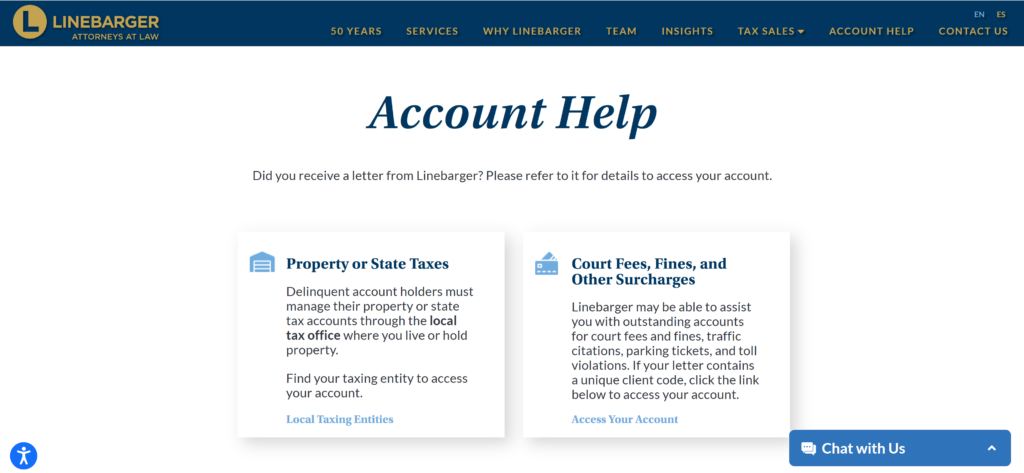
For login issues, password resets, or questions about your specific account: Visit the official help page: https://www.lgbs.com/account-help/
LGBS represents many different governmental clients, so support is often handled per municipality or court.
Contact Information
- Use the contact options on lgbs.com/account-help/ or the chat feature on the LGBS website.
- For questions about the original debt (before it was sent to LGBS), contact the issuing city, county, or court directly.
FAQs
How do I make LGBSWebPayments.com online payments?
Go to www.lgbswebpayments.com, enter your account or case number from the LGBS notice, select your payment method, and submit the payment.
Is there a guest pay option on LGBSWebPayments.com?
Yes. You can make one-time payments without creating a full account by entering your account/case number.
What payment methods are accepted?
Bank account (ACH) and credit/debit cards. A convenience fee typically applies for card payments.
Can I set up recurring payments?
Recurring/AutoPay options may be available after logging into your account (availability depends on the specific client/municipality).
How can I avoid extra fees?
Choose bank account (ACH) payments whenever possible instead of credit or debit cards.
Tip: Keep your LGBS notice or account number handy for faster service. Always save your payment confirmation for your records. LGBS is a legitimate collections law firm working on behalf of government agencies. For questions about your specific debt or payment plan options, use the account help resources at lgbs.com or contact support through the portal. For the most current information and fees, visit the official LGBSWebPayments.com site.