You can pay your Liberty Utilities (Liberty Energy and Water) bill either as a guest (one‑time payment) or by logging in to My Account, plus by phone, mail, or at local authorized locations.
Login to Pay (My Account portal)
- Go to myaccount.libertyenergyandwater.com and log in to My Account to view and pay your bill.
- Once signed in you can:
- See your current balance and history
- Make one‑time payments from a bank account or card
- Enroll in Autopay and paperless billing
Using My Account is usually the best option if you want full access to billing, usage charts, and notification settings.
Guest Pay / One‑Time Payment (No Login)
https://central.libertyutilities.com/all/residential/my-account/make-a-payment.html
If you don’t want to log in or create an account, use Liberty’s One‑Time Payment tools:
- Start from the One‑Time Payment links page, then select your state and service type (electric, gas, water).
- You’ll be taken to the correct payment screen where you can:
- Enter your Liberty account number (from your bill)
- Make a one‑time payment by credit/debit card or ACH (bank account)
Important notes:
- For many central‑region residential customers, online and phone card/ACH one‑time payments may have a small processing fee; the exact amount is shown on the payment screen and is collected by Liberty’s third‑party vendor.
- In some water‑only territories (for example certain Missouri water customers), Liberty now advertises no service fees for online and phone payments.
Guest/one‑time payments are ideal when you just want to quickly pay a bill or help pay someone else’s bill without managing an online profile.
AutoPay (Automatic Payments)
You can set up Autopay from within My Account:
- Log in to My Account, go to billing/payment settings, and choose Autopay.
- Pick your funding method (checking/savings account or card, depending on region) and decide whether to pay the full amount due or another default amount on each due date.
In several Liberty territories, automatic payments from a checking or savings account are fee‑free, while credit‑card Autopay may carry the same small convenience fee as a one‑time card payment; your specific portal will show the fee details before you confirm.
Pay by Phone
For many Liberty service areas:
- Call 1‑855‑872‑3242 (Option 2) to use a secure automated system and pay by card or bank account.
- Some regions have their own numbers (for example, certain Arizona or California electric customers use 800‑481‑9190, and some New Hampshire gas/electric customers use 1‑800‑833‑4200 option 2).
Key points:
- Phone payments often mirror online one‑time payments—credit/debit payments typically have a small third‑party processing fee, while ACH may be free for some territories.
- You’ll need your Liberty account number when you call.
Check the phone number printed on your bill or on your local Liberty site to be sure you’re using the right line for your state.
Pay in Person & By Mail
In‑person payments
- Liberty lists authorized payment locations, including many Walmart stores and other payment centers, via its “Pay In Person” / local payment locations pages.
- These centers usually accept cash, check, or money order, and may charge a small agent fee; Liberty notes that it does not profit from these third‑party fees.
By mail
- Your bill includes a remittance address (often a PO Box such as a Chicago or regional lockbox address) specific to your state and service.
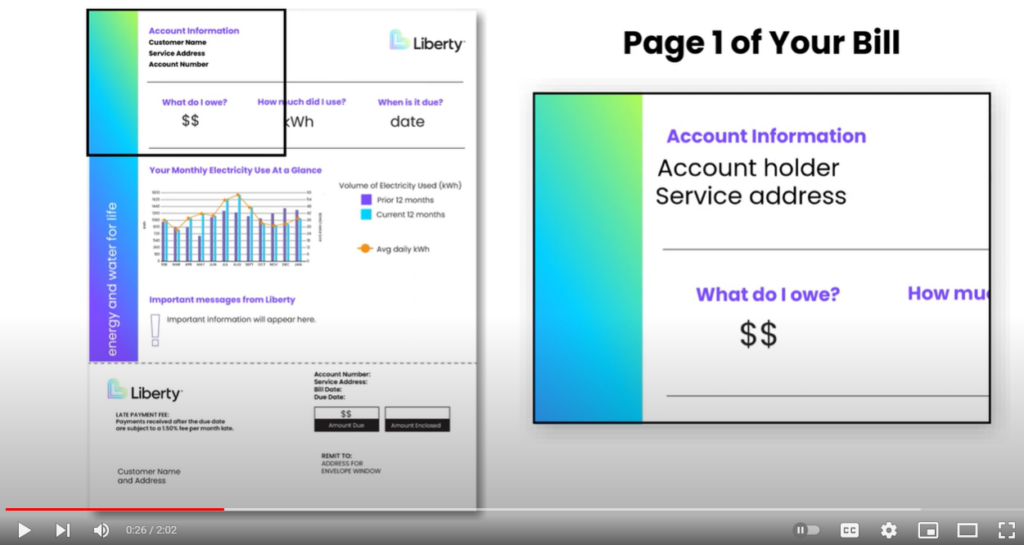
- Mail a check or money order with the lower portion of your bill and write your account number on the check.
Mail delivery can take several days, so send early enough that the payment arrives before your due date.
Quick “Guest Pay vs. Login to Pay” summary
- Guest / One‑Time Payment:
- No login; just your account number.
- Pay by credit/debit card or ACH.
- May have a small processing fee depending on region and payment type.
- Login to Pay (My Account):
- Full access to billing, usage, Autopay, and paperless options.
- Best for ongoing management and fee‑free ACH in many territories.