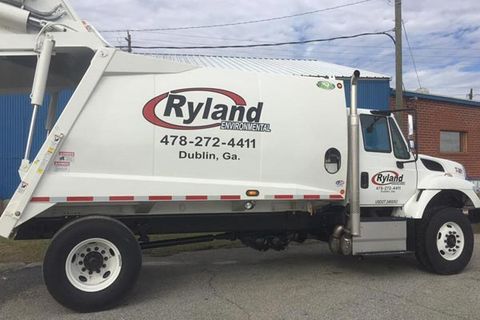
Ryland Environmental is a family-owned and operated waste management company providing residential trash collection, recycling, and dumpster rental services across multiple communities in central and southern Georgia. Paying your bill on time ensures uninterrupted service and helps maintain your account in good standing. The company offers convenient payment options including a quick guest pay feature, full online account management through its secure portal, payments by phone through local offices, and in-person service at district locations.
- You can make a fast one-time payment without creating an account using the official guest payment option at the Ryland Environmental Customer Portal: https://rylandenvironmental-portal.amcsplatform.com/.
- For complete details on service areas, holiday schedules, and all payment methods, visit the official Ryland Environmental website at https://www.rylandenvironmental.us/.
Pay as Guest – Quick One-Time Payment
Ryland Environmental provides a convenient guest payment option that requires no username, password, or full account registration. This is ideal for one-time payments or when you need to settle your bill quickly.
How to pay as a guest:
- Go to https://rylandenvironmental-portal.amcsplatform.com/
- Select the Make a Guest Payment option
- Enter your account number (found on your invoice or statement) and required verification details
- Review your balance and enter the payment amount
- Complete the transaction securely with a credit/debit card or bank account
Payments process promptly with confirmation provided. This no-login method works well for customers who prefer not to set up recurring access.
Pay Online with Full Account Access
For ongoing management, register or log in to the secure Customer Portal at https://rylandenvironmental-portal.amcsplatform.com/. Once inside you can:
- View current and past invoices
- Make one-time or scheduled payments
- Enroll in or manage automatic payments
- Update contact and payment information
- Access service history and alerts
Registration uses your account number and basic information from your invoice. The portal is available 24/7 on desktop and mobile devices and provides secure processing with instant confirmations.
Pay Ryland Environmental Bill by Phone
Contact your local Ryland Environmental office to make a payment by phone or set up automatic draft. Have your account number and payment details ready. Representatives can assist during business hours.
Local customer service numbers (use the one for your service area):
- Macon area: 478-812-5280
- Baxley area: 912-494-4411
- Houston County / Kathleen: 478-333-1722
- Waycross area: 912-283-1336
- Dublin area: 478-272-4411 or 478-225-3912
Office hours are generally Monday through Friday, 8:00 a.m. – 5:00 p.m. (local time). Call your specific local number for the most accurate assistance.
Pay In Person at Local Offices
Ryland Environmental maintains district offices where customers can pay in person with cash, check, or card during business hours. Staff can also assist with account questions, service issues, or missed pickups.
Example office locations:
- Macon: 1320 Guy Paine Rd, Macon, GA 31206 — Phone: 478-812-5280
- Baxley: 375 City Circle, Baxley, GA 31513 — Phone: 912-494-4411
- Houston County (Kathleen): 108 State Route 247 Spur, Kathleen, GA 31047 — Phone: 478-333-1722
- Waycross: 3230 Smith Dr., Waycross, GA 31503 — Phone: 912-283-1336
- Dublin: 1942 Hwy 441 S, Dublin, GA 31021 — Phone: 478-272-4411
Confirm exact hours and accepted payment methods by calling your local office before visiting. Drive-up or lobby service is typically available during posted business hours.
Automatic Payments (Auto Draft)
Ryland Environmental strongly encourages customers to set up automatic draft from a checking account or credit card. According to the service agreement, all accounts are set up on auto draft. You can enroll through the online portal or by contacting your local office. This ensures payments are made on time (typically within 10 days of invoice receipt) and helps avoid service interruptions.
Important Billing Information
Service is typically billed quarterly. Payment is due within 10 days of receiving the invoice. Late payments may result in fees or service suspension. Keep your account number readily available for all transactions. Ryland Environmental serves multiple Georgia communities; always use the phone number and office associated with your specific service area for the fastest support.
No widespread retail partner network (such as grocery stores or pharmacies) is currently promoted for payments. All official payments are handled through the portal, phone, or local offices.
Customer Service and Contact Information
Use the local office number for your service area (listed above). For general inquiries or to find your correct local contact, visit https://www.rylandenvironmental.us/ or submit the contact form on the website. Have your account number and recent invoice ready when calling.
FAQs
How do I pay my Ryland Environmental bill as a guest? Use the Make a Guest Payment option at https://rylandenvironmental-portal.amcsplatform.com/. No registration or login is required.
What phone number do I call to pay my Ryland Environmental bill? Call the local customer service number for your service area (e.g., 478-812-5280 for Macon, 912-494-4411 for Baxley). Representatives assist during business hours.
Where can I pay my Ryland Environmental bill in person? Visit your local district office during Monday–Friday business hours (typically 8:00 a.m.–5:00 p.m.). Examples include the Macon office at 1320 Guy Paine Rd and the Baxley office at 375 City Circle.
How do I set up automatic payments? Enroll through the Customer Portal at https://rylandenvironmental-portal.amcsplatform.com/ or contact your local office. Auto draft from checking or credit card is preferred.
Is there a mailing address for payments? Mail checks to the address listed on your invoice or to your local Ryland Environmental office. Include your account number for proper crediting. Allow sufficient time for processing.
What is the due date for Ryland Environmental bills? Bills are typically quarterly with payment due within 10 days of invoice receipt, per the service agreement.
Does Ryland Environmental offer paperless billing? Yes. Enroll through the online Customer Portal for electronic statements and easier account management.
What should I do if I cannot pay on time? Contact your local office immediately to discuss options and avoid service interruptions.