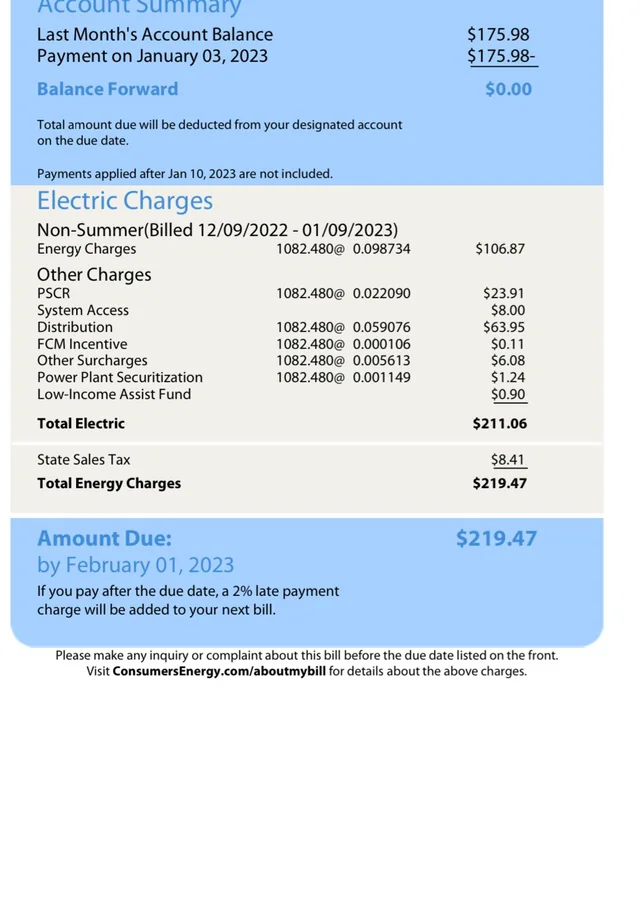
Consumers Energy gives you several ways to pay your utility bill, including a quick Guest Pay option that lets you pay without logging in, full online bill pay with no ACH fee, phone payments, and in‑person cash options at popular retail stores. Choosing the right method can help you avoid extra fees and keep your account current with less hassle.
Guest Pay: Fast One‑Time Payments Without Logging In
Guest Pay is designed for quick, one‑time payments—perfect if you want to pay your own bill without creating an online profile or pay someone else’s bill as a “gift of energy.”
How to use Consumers Energy Guest Pay
- Access the Guest Pay portal
- Go to the official Consumers Energy Guest Pay page:
https://www.consumersenergy.com/make-a-payment-guest
- Go to the official Consumers Energy Guest Pay page:
- Enter account details
- Choose your payment method
- Confirm and submit
- Enter the amount you want to pay (up to the limits below), review the service fee, and submit your payment.
Guest Pay works well if you are helping a family member, making a one‑off payment, or don’t want to save your information in an online profile.
Guest Pay Fees, Limits, and How to Avoid Extra Charges
Consumers Energy uses a third‑party processor for Guest Pay, and that comes with a processing fee per transaction.
- Residential accounts:
- A $2.99 fee per transaction applies to all Guest Pay payments, including credit, debit, digital wallets, and ACH.
- Business/commercial accounts:
- Non‑restricted business accounts typically pay $9.99 per Guest Pay transaction.
- Payment caps:
Consumers Energy explains that the fee is collected by the secure third‑party processor to cover processing costs and that the utility itself does not keep this fee.
How to avoid the $2.99 fee
If you want fee‑free electronic payments:
- Create an online Consumers Energy account and use Auto‑Pay or ACH there.
- Fee‑free automatic ACH payments are available when you log in via the main account portal instead of using Guest Pay.
- Use your own bank’s bill‑pay service.
- Many banks and credit unions offer web banking bill pay with no extra fee; set up Consumers Energy as a payee and have your bank send payments on your behalf.
Other Consumers Bill Pay Options
Beyond Guest Pay, Consumers Energy offers several standard payment methods.
1. Logged‑In Online Bill Pay & Auto‑Pay
If you create an online profile and log in, you can:
- View current and past bills
- Set up Auto‑Pay from your checking or savings account
- Make fee‑free ACH payments directly from your bank account
This is the best long‑term option if you want to avoid the $2.99 Guest Pay fee and automate your monthly payments.
2. Pay by Phone
Consumers Energy lets you pay by phone, including as a guest when you’re helping someone else.
- Guest / pay someone else’s bill:
- Pay your own bill:
- You can also call the general payment line (often listed as 855‑939‑3832 or 800‑477‑5050 on current materials) to pay by check or card; phone card payments go through the same third‑party processor and carry a $2.99 per‑transaction fee for residential customers.
Phone payments are handy if you prefer talking to an agent or don’t have internet access, but expect the same card/ACH fee as Guest Pay.
3. In‑Person Cash Payments at Retail Locations
Consumers Energy partners with authorized retail locations so you can pay your bill with cash close to home.
- Common locations include Dollar General, Walgreens, and 7‑Eleven, where you can pay up to about $999 per bill in cash.
- You typically need to bring your Consumers Energy bill or barcode, then pay at the customer service counter or at a designated kiosk.
- These locations may charge a small convenience fee, similar to other utilities’ retail pay station networks.
This option is useful if you prefer paying in cash, don’t have a bank account, or want to combine your payment with a regular shopping trip.
What Is a 12‑Digit Consumer or Account Number?
Consumers Energy uses a unique account number—often 12 digits—for each service location.
- This number appears on your energy bill and is what you’ll enter when:
- Using Guest Pay
- Setting up online bill pay
- Adding Consumers Energy as a payee in your bank’s bill‑pay system
- The full 12‑digit number ensures your payment is applied to the correct account and service address.
In general utility language, this type of number is sometimes called a “consumer number” or “account number,” and it is essential for accurate billing and support.
Benefits of Using Consumers Bill Pay Tools
Consumers Energy’s mix of Guest Pay, online accounts, and in‑person options gives you flexibility without sacrificing security.
Key benefits include:
- Convenience: Pay online, on the phone, or at nearby stores without needing to visit a utility office.
- Speed: Guest Pay and card/digital wallet transactions post quickly, helping you avoid late fees.
- Flexibility: You can pay your own bill or someone else’s, split payments into multiple transactions, and choose from several payment types.
- Fee‑free options: By using ACH through a full online account or your bank’s bill pay, you can avoid the $2.99 Guest Pay fee while still paying electronically.
- Control: Online accounts let you view bill history, track energy use, and manage Auto‑Pay so you’re less likely to miss a due date.
FAQs
Where can I pay Consumers Energy?
You can pay Consumers Energy:
- Online with Guest Pay at https://www.consumersenergy.com/make-a-payment-guest, using a card, digital wallet, or bank account.
- Online when logged in, with fee‑free ACH Auto‑Pay or one‑time bank drafts through the main customer portal.
- By phone, calling 866‑329‑9593 for guest payments or the general payment line listed on your bill to pay by card or check.
- In person at authorized retail locations like Dollar General, Walgreens, and 7‑Eleven that accept Consumers Energy payments in cash (usually up to around $999).
What are the benefits of using Consumers Bill Pay?
Consumers Bill Pay tools let you manage your bill in the way that fits your life: quick Guest Pay for one‑time or gift payments, full online accounts for fee‑free ACH and Auto‑Pay, and retail locations for cash payers. You can choose between speed and flexibility, while still having fee‑free options through ACH or bank bill pay if you want to avoid the $2.99 card/Guest Pay fee.
What is a 12‑digit consumer or account number?
Your 12‑digit Consumers Energy account number is a unique identifier that ties payments and service to your specific address. You’ll need this number for Guest Pay, setting up online access, or adding Consumers Energy as a payee with your bank so payments are applied accurately to your account.
Is the $2.99 Guest Pay fee required for all online payments?
The $2.99 fee applies to Guest Pay and most one‑time card, digital wallet, and ACH payments made through the guest channels or phone for residential customers. To avoid the fee, you can enroll in fee‑free automatic ACH through an online account or pay via your bank’s own bill‑pay system.
Can I make more than one Guest Pay payment per month?
Yes. Consumers Energy notes that multiple Guest Pay payments are allowed, but each card or digital wallet payment must be $1,000 or less. If your bill is higher, you can split it across several transactions—or use ACH through an online account or bank bill pay to avoid multiple fees.