Yellowstone Valley Electric Cooperative (YVEC) provides reliable electric service to more than 22,000 meters across southeastern Montana. Timely payment of your YVEC bill prevents late fees, service disconnection, or reconnection charges while keeping your account in good standing.
Official YVEC Payment Resources
- SmartHub Pay Now (Guest / One-Time Payment) – Make a quick one-time payment using credit or debit card without creating a full account or logging in.
- Payment Options Guide – Complete official list of every payment method, including SmartHub online payments, Auto Pay, automated phone system, mail, in-person, and 24/7 payment kiosks.
This comprehensive guide replaces all outdated third-party content (including the original savepaying.com article) with the most current and accurate information sourced directly from Yellowstone Valley Electric Cooperative’s official website (yvec.com) as of April 2026. YVEC strongly recommends using only official channels to ensure secure, fast posting and to avoid third-party fees or delays. Bank account (ACH/eCheck) and most electronic payments have the lowest or no additional fees. Credit/debit card payments may incur a small processing fee (disclosed at checkout).
1. SmartHub Pay Now (Guest / One-Time Payment – Fastest for Quick Payments)
YVEC offers a convenient Pay Now option for one-time payments without full account registration.
How to pay as a guest:
- Visit the official Pay Now page: https://yvec.smarthub.coop/PayNow.html.
- Enter your account number and basic verification details.
- Select your payment amount and choose credit or debit card (MasterCard, Visa, Discover, or American Express).
- Review and submit for immediate confirmation.
Payments are processed securely and typically post the same or next business day. This method is ideal for urgent or one-time payments when you do not have (or want) a full SmartHub account.
2. Pay Online via SmartHub (Recommended for Full Management)
The official SmartHub portal provides complete account access and recurring payment options.
How to pay:
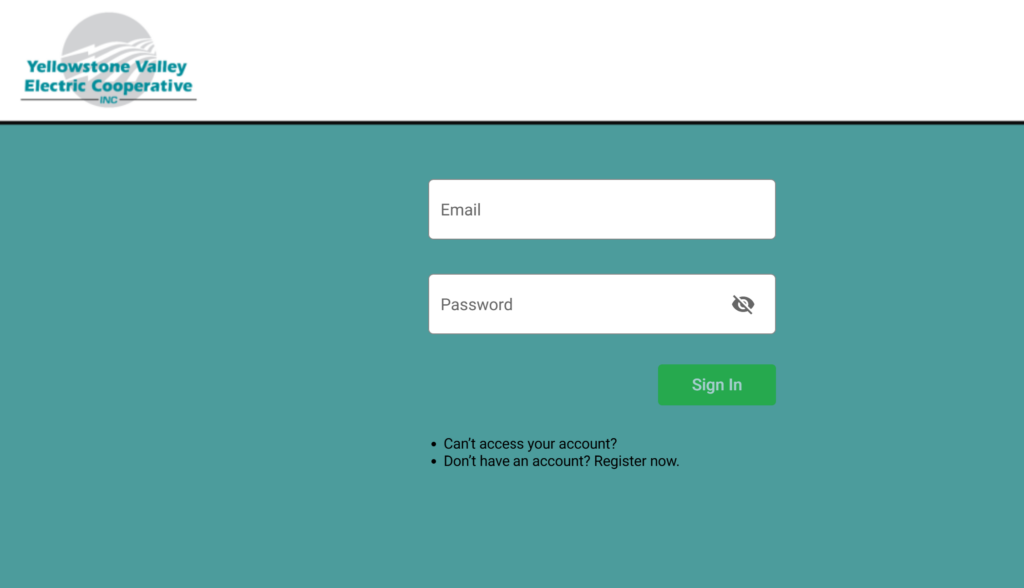
- Go to https://yvec.smarthub.coop/Login.html and log in or register (new users need account number and ZIP code).
- Navigate to Make a Payment or Pay Bill.
- Pay with bank account (ACH/eCheck) or credit/debit card.
- View current balance, usage history, past bills, and outage information.
The portal also supports the free SmartHub mobile app for iOS and Android.
3. Set Up Auto Pay
Enroll in Auto Pay through SmartHub for automatic monthly deductions from your checking or savings account. This eliminates missed payments and late fees. Auto Pay can be modified or canceled anytime via the portal or by contacting the office.
4. Pay by Phone (24/7 Automated System)
Use the automated phone payment system for quick payments without internet access.
- Call (855) 937-1837 (available 24 hours a day, 7 days a week).
- Follow the prompts to pay with credit/debit card or bank information.
Members can also call the main office at (406) 348-3411 or toll-free (800) 736-5323 during business hours for live assistance.
5. Pay by Mail
Mail a check or money order (payable to Yellowstone Valley Electric Cooperative) with no convenience fee. Use the remittance coupon from your statement or clearly write your account number. Mailing address is printed on your monthly statement. Allow 5–7 business days for processing. Never send cash.
6. Pay In Person or at 24/7 Kiosks
- Payment Kiosks: Available 24/7 at YVEC Office Headquarters (150 Cooperative Way, Huntley, MT 59037). Cash, checks, debit, or credit cards are accepted. Kiosks now also support payments for other vendors (e.g., AT&T, Verizon, Toyota Motor Credit, Wells Fargo Auto).
- Office Locations: Visit the main office in Huntley during business hours (Monday–Friday, 8:00 AM – 5:00 PM) for in-person payments or drive-thru drop box options.
7. Payment Assistance & Important 2026 Notes
If you are experiencing financial hardship, contact the office immediately to discuss payment arrangements or assistance programs. YVEC works with members on a case-by-case basis to avoid service interruptions.
Important 2026 Notes:
- Always use official YVEC domains (yvec.com or yvec.smarthub.coop) and verified phone numbers.
- The cooperative never requests payment via gift cards, wire transfers, cryptocurrency, or unsolicited links.
- Late payments may result in additional fees or service disconnection after proper notice.
- For power outages or emergencies, use the outage map on the website or call the office.
Customer Service Contacts
- Main Office: (406) 348-3411 or toll-free (800) 736-5323
- Automated Payments: (855) 937-1837
- Physical Address: 150 Cooperative Way, Huntley, MT 59037
Frequently Asked Questions (FAQs)
1. What is the official way to pay my YVEC bill online? Use SmartHub at https://yvec.smarthub.coop/Login.html or the Pay Now guest option at https://yvec.smarthub.coop/PayNow.html.
2. Is Pay Now (guest payment) available without registering? Yes — pay instantly with credit or debit card using only your account number via the dedicated Pay Now page.
3. Are there fees for online payments? Credit/debit card payments may incur a small processing fee (disclosed at checkout). Bank account (ACH) payments typically have the lowest or no additional fee.
4. What phone number is used for automated payments? Call (855) 937-1837 for the 24/7 secure automated phone payment system.
5. How do I set up Auto Pay? Log into SmartHub and follow the prompts under payment settings.
6. Where can I pay in person or use a kiosk? 24/7 kiosks and drive-thru drop box are available at the main office (150 Cooperative Way, Huntley, MT 59037). Kiosks support additional vendors beyond electric bills.
7. What payment methods are accepted? Bank account (ACH), credit/debit cards (MasterCard, Visa, Discover, American Express), checks, and money orders. Cash is accepted at kiosks and the office.
8. How quickly do online or phone payments post? Most electronic payments post within 1–2 business days.
9. Can I view my usage history and bills online? Yes — full access to billing history and usage data is available after logging into SmartHub.
10. What should I do if I cannot pay my full bill? Contact the office at (406) 348-3411 immediately to discuss payment arrangements or assistance options.
11. Is there a mobile app for payments? Yes — download the free SmartHub app for iOS and Android to manage and pay your bill on the go.
12. Are third-party bill-pay services recommended? No. YVEC only endorses its official SmartHub portal, Pay Now, phone system, mail, and in-person/kiosk options to avoid extra fees or delays.