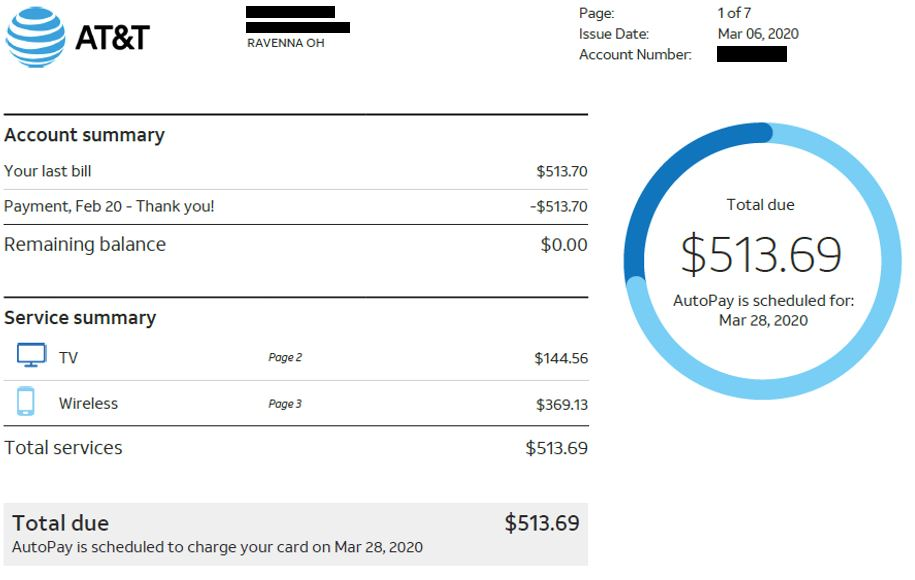
U-verse online bill pay is the easiest way to pay your AT&T U-verse TV, internet, and phone bill. You can make payments through the official AT&T website or app as a logged-in user or use quick pay options. Setting up AutoPay is strongly recommended to avoid late fees.
Quick Pay Links:
How to Make a U-verse Online Bill Payment
Login to AT&T My Account (Recommended)
- Go to the official AT&T portal: https://www.att.com/my/
- Sign in with your AT&T username and password (or register using your phone number, U-verse account number, or email).
- Once logged in, go to Billing → Make a Payment.
- Choose to pay the full balance, a partial amount, or set up AutoPay.
Quick / Guest Pay Option
If you prefer not to create or log into a full account, use the “FAST PAY” or quick pay link available after signing in with basic account details. However, full access and AutoPay require logging into My Account.
https://lsreg.att.com/acctsvcs/fastpay
Pay by Phone
Call 1-800-288-2020 (AT&T U-verse support) and follow the prompts for payments. Have your account number or phone number ready.
In-Person / Pay in Store
Payments can be made at authorized AT&T retail stores or payment centers. Bring your bill or account details. Cash, check, and card payments may be accepted (confirm with the location).
Mailing Address: Use the remittance address printed on your AT&T U-verse bill statement.
Mobile App
Download the myAT&T app (available on iOS and Android). You can view your U-verse bill, make payments, manage AutoPay, and track usage directly from your phone.
Payment Methods and Fees
- Bank Account (ACH/e-check): Lowest-cost or no extra fee.
- Credit/Debit Card: Accepted with a possible convenience fee.
- AutoPay: Free recurring payments from your bank account — highly recommended.
Late Payments: Pay on time to avoid late fees or service interruption. Contact AT&T support for payment arrangements if needed.
Contact Information
- U-verse Customer Service: 1-800-288-2020
- Billing Support: Use the myAT&T app or website chat after logging in.
- Website: att.com (U-verse section)
FAQs
How do I make a U-verse online bill pay?
Log into AT&T My Account at att.com/my/ or use the myAT&T app to pay your U-verse bill securely.
Is there a guest pay option for U-verse bills?
Limited guest/quick pay is available, but full access and AutoPay require signing into My Account.
What payment methods are accepted?
Bank account (ACH), credit/debit cards, and payments at AT&T stores. AutoPay from your bank account is free and recommended.
Can I pay my U-verse bill by phone?
Yes. Call 1-800-288-2020 for payment assistance.
Is there a mobile app for U-verse bill pay?
Yes. The myAT&T app allows you to view bills, make payments, and manage AutoPay conveniently.
How can I avoid late fees on my U-verse bill?
Enroll in AutoPay through My Account and pay early each month.
Tip: Register for My Account and set up AutoPay + paperless billing for the most convenient U-verse online bill pay experience. Keep your AT&T account number or phone number handy. For billing questions or payment arrangements, contact 1-800-288-2020 or use the chat feature in the myAT&T app. For the most current information and fees, always visit the official AT&T website at att.com.