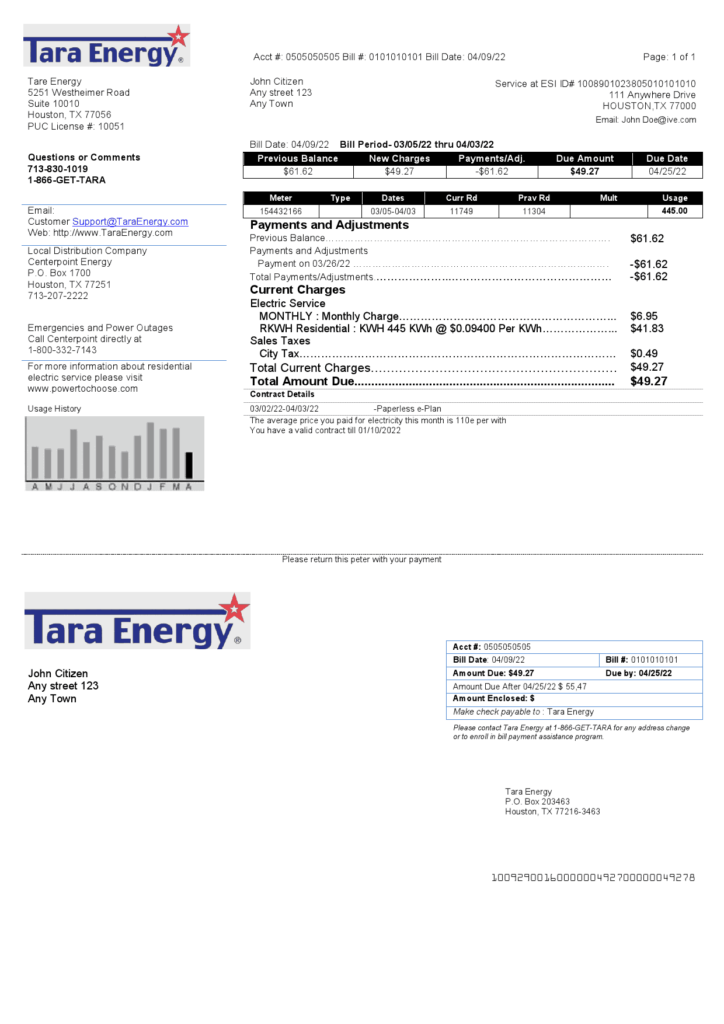
Tara Energy is a competitive electricity retailer serving residential and commercial customers across Texas. Paying your Tara Energy bill on time avoids late fees, service disconnection, or credit impacts while maintaining reliable power supply.
Official Tara Energy Payment Resources
- My Tara Energy Portal — Log in or register to view bills, make payments, set up AutoPay, enable paperless eBill, and manage your account 24/7 : https://account.taraenergy.com/
- Bill Payment Options Guide — Complete official overview of all payment methods, including Quick Pay, portal payments, phone, mail, and Barri pay stations.
Pay Online via My Tara Energy Portal (Recommended for Full Management)
The official My Tara portal provides complete account management and recurring payment options.
How to pay:
- Visit https://account.taraenergy.com/ and log in (or register using your account number and email).
- Go to Billing & Payments → Make a Payment.
- Pay with your saved bank account (ACH) or credit/debit card.
- View current balance, historical usage, past bills, and payment history.
The portal also supports paperless eBill and multiple account management.
Set Up AutoPay (Free & Recommended for Recurring Bills)
Enroll in AutoPay directly in the My Tara portal for automatic monthly deductions from your bank account on the due date. AutoPay is free of charge, convenient, and ensures timely payment. You can modify or cancel it anytime through the portal.
Pay by Phone
Call the official customer service line at 866-808-0928 (or 866-438-8272 for general support). Representatives can process payments with ACH or card details. This is also the recommended way to pay for someone else’s account or discuss payment arrangements.
Pay by Mail or Alternative Methods
- Mail: Send a check or money order using the address printed on your statement. Include your account number clearly. Allow 5–7 business days for processing.
- Barri Pay Stations: Pay in cash at participating Barri locations (convenience fee may apply).
Mobile App
Download the official Tara Energy app (available on Google Play and App Store) to pay bills, view usage, set up AutoPay, and manage your account from your phone or tablet. Sign in with your My Tara credentials.
Payment Assistance & 2026 Notes
If you face financial difficulty, contact customer service promptly to discuss payment arrangements. Tara Energy offers flexible options on a case-by-case basis.
Important 2026 Notes:
- Always use official Tara Energy domains (taraenergy.com or account.taraenergy.com) and verified phone numbers.
- The company never requests payment via gift cards, wire transfers, or unsolicited links.
- Late payments may result in additional fees or service interruption after proper notice.
- For outages or service issues, contact the appropriate utility delivery provider (e.g., Oncor, CenterPoint, AEP Texas).
Customer Service Contacts
- Billing & Payments: 866-808-0928
- General Support: 844-466-3808 (residential) or 866-246-5985 (commercial)
- Email: [email protected]
Frequently Asked Questions (FAQs)
1. What is the official portal to pay my Tara Energy bill? Use the My Tara Energy Portal at https://account.taraenergy.com/ or Quick Pay for one-time payments.
2. Is Quick Pay (guest payment) available? Yes — make one-time payments without full registration using Quick Pay.
3. Are there fees for online payments? ACH (bank account) payments have the lowest or no additional fee. Credit/debit card payments incur a convenience fee (shown at checkout).
4. How do I set up AutoPay? Log into My Tara and follow the prompts under Payment Options. AutoPay is free.
5. What phone number is used for bill payments? Call 866-808-0928 for payments and billing support.
6. Can I receive paperless billing? Yes — enable eBill in the My Tara portal to receive bills by email.
7. How quickly do online payments post? Most electronic payments post within 1–2 business days.
8. What should I do if I cannot pay my full bill? Contact customer service at 866-808-0928 immediately to discuss payment arrangements.
9. Is there a mobile app for payments? Yes — download the official Tara Energy app to pay bills and manage your account on the go.
10. Can I pay multiple accounts or for someone else? Yes — Quick Pay and phone support allow payments for other accounts with proper verification.
11. Where can I view my usage history and statements? Full access to bills and historical usage is available after logging into My Tara.
12. Are third-party services like doxo recommended? No. Tara Energy only endorses its official My Tara portal, Quick Pay, phone, mail, and app channels to avoid extra fees or delays.