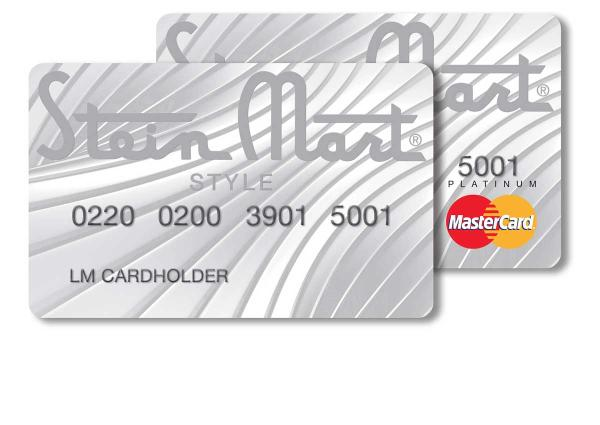
Pay your Stein Mart Credit Card bill quickly and securely through the official Synchrony Bank portal. The Stein Mart card (issued by Synchrony) remains active for existing cardholders even after the retail stores closed. Make one-time payments as a guest or log in for full account management and Auto Pay.
- Pay Stein Mart Credit Card Online – Guest Pay (No Login) (Quick one-time payment option available directly on the Stein Mart Synchrony site)
- Synchrony Stein Mart Account Login & Auto Pay (Register or log in for payments, statements, and recurring Auto Pay)
How to Pay Your Stein Mart Credit Card Bill
The Stein Mart Credit Card and Stein Mart Elite Credit Card are serviced by Synchrony Bank. You can pay online (guest or logged-in), by phone, mail, or through the MySynchrony app. Payments post the same day if made before 11:59 p.m. ET.
Login to Pay or Guest Pay
Pay as Guest (one-time payment):
No account login required. Visit the Stein Mart Synchrony site and select the guest payment option to make a secure payment using your card or account details.
Full Account Login:
Register or log in at steinmart.syf.com to:
- View balance and payment history
- Make payments
- Enroll in Auto Pay
- Sign up for paperless statements and check your FICO score
Pay by Phone
Call 855-269-2139 (the dedicated Stein Mart Credit Card customer service line).
Automated payment options are available 24/7; live representatives are also available during business hours.
Payment Address (Mail)
Mail checks or money orders to:
Synchrony Bank
P.O. Box 530918
Atlanta, GA 30353-0918
Include your account number for proper processing.
In-Person or Pay in Store
No in-person payment options remain, as all Stein Mart retail stores have closed. All payments must be made online, by phone, or by mail.
Stein Mart / Synchrony Mobile App & Payment Assistant
Download the MySynchrony mobile app (available on Apple App Store and Google Play) to:
- Pay your bill securely from your phone
- Set up or manage Auto Pay
- View statements and balances
- Receive payment reminders
The app supports biometric login (Face ID / Touch ID) and works seamlessly with your Stein Mart Synchrony account.
Auto Pay and Payment Options
Enroll in Auto Pay through your Synchrony account or the MySynchrony app to automatically pay your minimum due or full balance each month. This is the easiest way to avoid late fees.
Fees and Late Payments
- No convenience fees for most standard online or Auto Pay bank account payments.
- Credit/debit card payments may incur a small convenience fee (confirm at checkout).
- Late payments can result in late fees (up to $39), penalty APR, and negative credit reporting. Pay by the due date shown on your statement.
Contact Stein Mart Credit Card (Synchrony)
- Customer Service: 855-269-2139
- Official Account Portal: steinmart.syf.com
- General Synchrony Support: Use the site’s contact or help section
Frequently Asked Questions
How do I pay my Stein Mart credit card bill online?
Visit steinmart.syf.com and use the Pay as Guest option for quick one-time payments or log in to your Synchrony account for full management.
Can I make a guest payment for my Stein Mart credit card?
Yes. The Pay as Guest feature allows secure one-time payments without logging in.
What is the phone number to pay my Stein Mart credit card bill?
Call 855-269-2139 for payment assistance and account support.
Where do I mail my Stein Mart credit card payment?
Send payments to: Synchrony Bank, P.O. Box 530918, Atlanta, GA 30353-0918.
How do I set up Auto Pay for my Stein Mart credit card?
Log in to steinmart.syf.com or use the MySynchrony app to enroll in automatic payments.
Is there a mobile app for Stein Mart credit card bill pay?
Yes. Download the MySynchrony app to pay bills, manage Auto Pay, and view your account from your phone.
How do I avoid late fees on my Stein Mart credit card?
Enroll in Auto Pay, pay early using Guest Pay, or ensure payment posts by the due date.
Information updated as of April 2026 from official Synchrony Bank and Stein Mart Credit Card sources. Always verify details directly on steinmart.syf.com or your statement, as payment options and contact numbers may change.