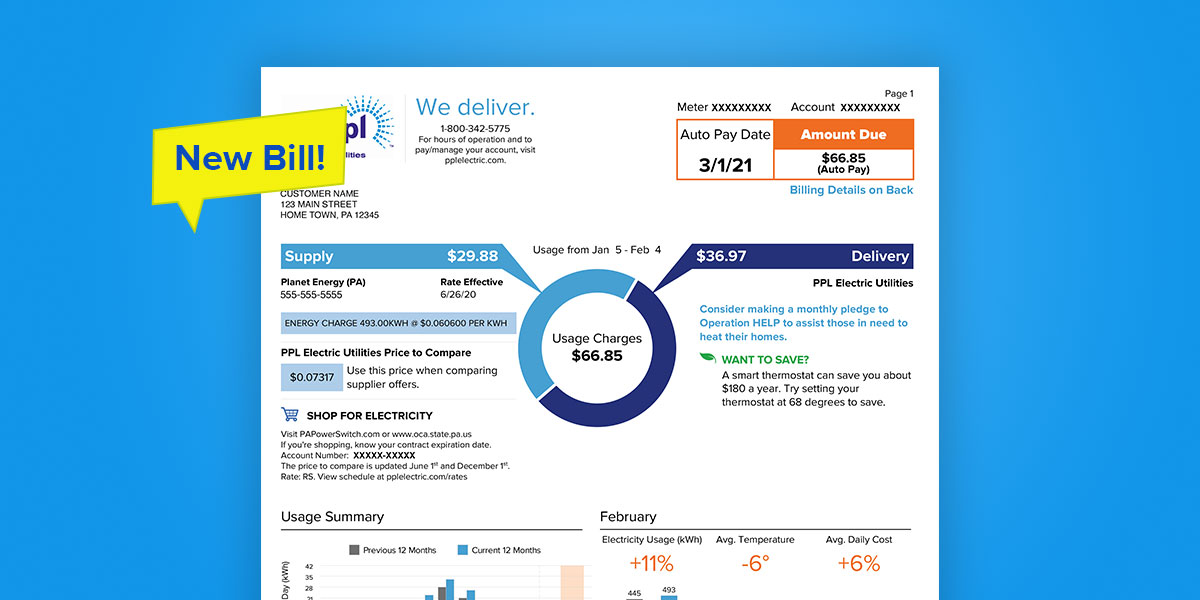
PPL Electric Utilities (PPL Electric) delivers electricity to more than 1.4 million customers across central and eastern Pennsylvania. Paying your PPL Electric bill on time prevents late fees, service disconnection, reconnection charges, or negative credit reporting.
Official PPL Electric Payment Resources
- Make a Payment Portal – Secure online portal to make one-time or recurring payments directly from your bank account or card (fastest digital option) : https://selfserve.pplelectric.com/make-a-payment
- Billing & Payments Overview – Complete official guide to all payment methods, including AutoPay, phone support, mail, and in-person options.
This comprehensive guide replaces all outdated third-party content with the most current and accurate information sourced directly from PPL Electric’s official website (pplelectric.com) as of April 2026. PPL Electric strongly recommends using only official channels to ensure payments post securely and promptly. The utility is not affiliated with third-party bill-pay services. Bank account (ACH/eCheck) payments through the official portal are free. Credit/debit card and digital wallet payments incur a convenience fee (disclosed at checkout). Payments typically post the same or next business day.
1. Make a Payment Online (Fastest & Most Recommended)
The official self-service payment portal is the primary, secure way to pay your PPL Electric bill 24/7.
How to pay:
- Visit the Make a Payment portal at https://selfserve.pplelectric.com/make-a-payment.
- Log in with your My Account credentials or use the quick-pay flow if available.
- Enter your account number if prompted, select the payment amount, and choose bank account (ACH – free) or credit/debit card.
- Review and submit for immediate confirmation.
You can also access payments after logging into your full My Account dashboard. The portal supports viewing current balance, up to 24 months of billing and usage history, and managing preferences.
2. Set Up AutoPay (Recommended for Recurring Bills)
Enroll in AutoPay through My Account for automatic monthly deductions from your bank account on the due date. AutoPay is free, eliminates missed payments, and can be modified or canceled anytime. This is the most reliable way to maintain good account standing.
3. Pay by Phone (Automated & Live Support)
Call the official customer service line at 1-800-342-5775 (available Monday–Friday, 8:00 AM – 5:00 PM ET for payment assistance). Have your account number ready. The automated system allows quick payments with bank or card details. For emergencies or downed power lines, call the same number 24/7 and say “downed power line.”
4. Pay by Mail
Mail a check or money order (payable to PPL Electric Utilities) with no convenience fee.
Mailing address: PPL Electric Utilities P.O. Box 419054 St. Louis, MO 63141-9054
Include your account number or bill stub. Allow 5–7 business days for processing. Never send cash.
5. Pay In Person or at Payment Centers
Use authorized payment centers or self-service kiosks (find locations on the Billing & Payments page). Cash, checks, or cards are accepted at most sites. Convenience fees may apply at third-party retailers.
6. Additional Billing Options & Assistance
- Budget Billing / Average Payment Plan: Spread seasonal costs evenly over 12 months for predictable payments. Enroll through My Account or by calling customer service.
- Payment Arrangements & Assistance: Available for customers facing financial hardship. Contact customer service promptly to discuss options before your due date.
- Mobile App: The official PPL Electric app supports payments, usage tracking, outage reporting, and notifications.
7. Important 2026 Security & Policy Notes
- Always use official pplelectric.com domains and the verified phone number 1-800-342-5775.
- PPL Electric never requests payment via gift cards, wire transfers, cryptocurrency, or unsolicited links.
- Late payments may result in additional fees or service interruption after proper notice.
- For gas leaks or power outages, call 911 first, then 1-800-342-5775.
Customer Service
- Billing & Payments: 1-800-342-5775 (Monday–Friday, 8:00 AM – 5:00 PM ET)
- Hearing impaired: Relay services available.
Frequently Asked Questions (FAQs)
1. What is the official phone number for PPL Electric bill payments? Call 1-800-342-5775 (Monday–Friday, 8:00 AM – 5:00 PM ET for payment assistance; 24/7 for emergencies).
2. Is guest/one-time payment available online? Yes — use the Make a Payment portal at https://selfserve.pplelectric.com/make-a-payment for quick payments without full registration in some cases.
3. Are there fees for online payments? Bank account (ACH) payments are free. Credit/debit card payments incur a convenience fee (disclosed at checkout).
4. How do I set up AutoPay? Log into My Account and enroll under Billing & Payments.
5. What payment methods are accepted? Bank account (ACH), credit/debit cards, checks, and cash at authorized centers.
6. Where do I mail my payment? PPL Electric Utilities, P.O. Box 419054, St. Louis, MO 63141-9054 (use the address on your statement).
7. Can I view my usage history and bills online? Yes — up to 24 months of history is available in My Account.
8. How quickly do online payments post? Most electronic payments post the same or next business day.
9. What should I do if I cannot pay my full bill? Contact customer service at 1-800-342-5775 to discuss payment arrangements or assistance programs.
10. Is the PPL Electric mobile app official? Yes — download it for secure payments, usage tracking, and outage reporting.
11. Does payment vary by service area? Slight differences may exist; always check your specific bill or the Payment Options page.
12. Are third-party bill-pay services recommended? No. PPL Electric only endorses its official My Account, phone, mail, and in-person options to avoid extra fees or delays.