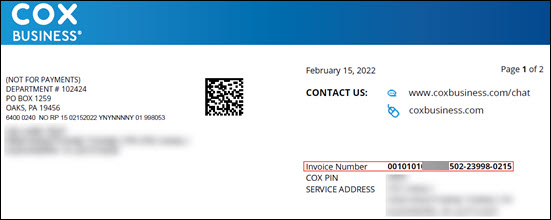
Cox Communications provides high-speed internet, cable TV, and home phone services to residential and business customers across multiple states. Monthly bills include service charges with a clear due date printed on each statement. Timely payment prevents late fees and service interruptions.
- For the most current details on accounts and billing, visit the official Ways to Pay Your Bill page at https://www.cox.com/residential/support/ways-to-pay-your-bill.html where you can schedule or make a one-time payment online or through the Cox app.
- Customers can also make a one-time payment without logging in by entering “pay bill” in the chat window on the official Making a One-Time Payment Online page at https://www.cox.com/residential/support/making-a-one-time-payment-online.html.
Guest Pay / One-Time Payment Option
Cox Communications offers convenient one-time payments through its online system and chat agent—no full recurring account login is always required. This feature is ideal for occasional users or those who prefer to pay manually without creating a profile.
To complete a one-time payment:
- Visit the official site and use the chat window by entering “pay bill” to pay without logging in, or log into My Account.
- Select the statement and total amount you want to pay.
- Provide payment details using a credit/debit card or bank account.
- Review the amount and submit for immediate confirmation.
Payments are processed securely and typically post the same or next business day. You will receive an on-screen receipt. The system is mobile-friendly and supports major payment methods.
Online Account Management with My Account
Create a free My Account at cox.com for full 24/7 access. Once registered, you can view current and past bills, track usage history, enroll in paperless e-billing, and manage your Cox Communications account from any device. The portal supports both one-time payments and recurring options.
Automatic Payments (Cox EasyPay)
Enroll in free Cox EasyPay through My Account to have payments automatically withdrawn from your bank account or charged to your card on the due date each month. This eliminates missed payments and late fees. You can modify or cancel EasyPay anytime through the portal.
Pay by Phone & Chat Assistance
Use the automated pay-by-phone system or chat with Oliver, Cox’s virtual assistant, for quick one-time payments. For live assistance with billing questions or payment arrangements, call customer service during business hours. Have your account number ready when using phone or chat.
Mail Payments
Mail your payment stub with a check or money order (payable to Cox Communications) to the address printed on your monthly statement or the corporate payment mailing address: Cox Communications, Inc. P.O. Box 650991 Dallas, TX 75265-0991
Include your full account number on the check. Do not send cash. Allow 5–7 business days for mail delivery and processing. This option is completely fee-free.
In-Person Payments
No dedicated public walk-in payment counters are listed for residential bills. Use online, app, chat, phone, or mail options for fastest processing. Cox retail stores may assist with account questions but are not primary payment locations—confirm with your local store if needed.
Contact Customer Service
Reach Cox Communications residential support through chat on the website, the Cox app, or by calling the number on your bill for billing inquiries, payment arrangements, or account support. For general assistance, use the official contact options on cox.com. The company headquarters is located in Atlanta, Georgia.
Frequently Asked Questions
Can I pay my Cox Communications bill online without creating a full account? Yes. Enter “pay bill” in the chat window on the official site to make a one-time payment without logging in, or use My Account for scheduled payments.
What payment methods does Cox Communications accept? Online, app, and chat accept credit/debit cards and bank accounts. Mail accepts checks or money orders.
Are there convenience fees for Cox Communications payments? Standard processing fees may apply for certain credit/debit card transactions—confirm the exact amount during checkout. Bank account and mail payments are typically fee-free.
Where do I mail my Cox Communications payment? Cox Communications, Inc., P.O. Box 650991, Dallas, TX 75265-0991. Always include your account number on the check.
How do I set up recurring payments or EasyPay? Log into My Account or use the Cox app to enroll in Cox EasyPay. It is free and deducts automatically on the due date.
What services does Cox Communications provide? High-speed internet, cable TV, home phone, and related residential services across multiple states.
How do I get help with payment arrangements or billing issues? Use chat on the website, the Cox app, or call the number on your bill. Flexible arrangements are available through customer support.