You can pay your gas bill at a National Fuel Customer Assistance Center or authorized payment center. Customer Assistance Centers are open Monday through Friday 8:15 a.m.–4:30 p.m. in New York and 8:30 a.m.–4:30 p.m. in Pennsylvania, excluding holidays.
New Bill Pay Portal | National Fuel Gas Company
https://www.nationalfuel.com/new-bill-pay-portal
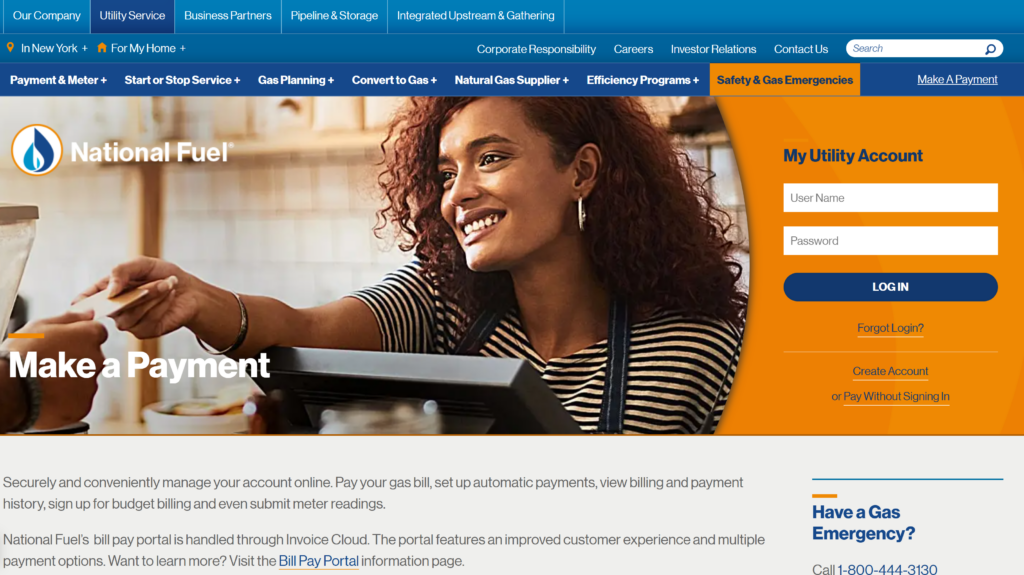
National Fuel has launched a brand-new bill pay portal through Invoice Cloud. The portal features an improved customer experience and new payment options.
National Fuel online bill pay (InvoiceCloud)
National Fuel’s bill pay portal is now handled through InvoiceCloud, replacing the old system.
https://www.invoicecloud.com/nfg/NationalFuelGas
- Go to the Make a Payment page for WNY/PA customers and follow the link to the online bill pay portal.
- You can register and log in to:
- Pay your gas bill
- Set up automatic payments (AutoPay)
- View billing and payment history
- Enroll in budget billing
- Submit meter readings
- You can also make One Time Payments without registering (guest‑style pay); registration is not required, but gives you history, stored methods, AutoPay, etc.
Payment methods online
Through the InvoiceCloud portal, National Fuel accepts:
- Visa, MasterCard, Discover, American Express
- Electronic check (ACH) from checking or savings
- Apple Pay, Google Pay, PayPal, Venmo
After payment, you get an on‑screen confirmation and a confirmation email with amount, account number, and confirmation code.
AutoPay, Pay by Text & scheduled payments
- AutoPay: Automatically pays your bill on the due date each cycle from your default card or bank account; it’s designed to avoid late fees and manual reminders.
- Pay by Text: After a one‑time online or IVR payment, you can enroll in Pay by Text and then pay future bills simply by replying to a text notification with your saved method.
- Scheduled payments: You can schedule individual payments for any date before the due date, and edit the date as long as you adjust it before the scheduled day.
Pay by phone (InvoiceCloud IVR)
You can pay your National Fuel bill by phone via InvoiceCloud’s automated system.
- Pay‑by‑phone number (24/7): 1‑855‑437‑1168.
- Use a landline or mobile phone to make a secure payment with:
- Visa, MasterCard, Discover, American Express
- Electronic check from checking or savings
For general account questions or issues with your gas service or bill, National Fuel lists 1‑800‑365‑3234 as a main customer‑service contact.
Pay by mail
You can mail a check or money order using the envelope included with your bill.
- Mail payments to:
National Fuel Gas
P.O. Box 371835
Pittsburgh, PA 15250‑7835
Always include your account number, use the payment coupon, and mail early enough that it arrives before the due date/grace period to avoid late fees.
In‑person & Western Union / Convenience Pay
National Fuel accepts in‑person payments at several office locations and authorized agents.
- Company offices (examples listed by National Fuel):
In addition, you can pay at Western Union Agent Locations and other authorized agents:
- On Western Union’s site, choose “Pay a bill in person”, enter your ZIP, then filter for “Convenience Pay” and/or “Quick Collect”.
- Convenience Pay processes cash or check; Quick Collect processes cash only.
- National Fuel is also listed as accepting payments at Convenience Pay and Quick Collect locations, which function like pay‑in‑store points.
Fees, processing, and late payment notes
- National Fuel’s InvoiceCloud portal offers a “fast, easy and safe” way to pay, with modern options like Pay by Text and digital wallets; standard convenience fees may apply on some card/digital methods, as is typical with InvoiceCloud, but exact fee details appear on the checkout screen before you confirm.
- Partial payments are accepted, and you can even split one bill between multiple payment methods.
- If an electronic check is rejected, you’ll receive an email notification.
- Paying on or before the due date—especially with AutoPay or scheduled payments—helps you avoid late charges; specifics of late fees are listed on your bill and tariff.
FAQs about National Fuel Gas bill pay
How do I pay my National Fuel bill online?
Go to National Fuel’s Make a Payment page and use the InvoiceCloud portal to pay online, set up AutoPay, view history, and even submit meter readings, using cards, e‑check, or digital wallets.
Can I pay my National Fuel bill without creating an account?
Yes. The InvoiceCloud portal supports One Time Payments without registration (guest‑style); you just enter your account details, choose a method, and complete a one‑time payment.
What number do I call to pay my National Fuel bill?
Call 1‑855‑437‑1168 to use the 24/7 automated pay‑by‑phone system through InvoiceCloud with card or e‑check. For questions about your bill or service, call 1‑800‑365‑3234.
Where do I mail my National Fuel payment?
Mail your check or money order with the coupon to National Fuel Gas, P.O. Box 371835, Pittsburgh, PA 15250‑7835, and write your account number on the check.
Can I pay my National Fuel bill at a store?
Yes. You can pay at Western Union, Convenience Pay, and Quick Collect locations that support National Fuel; Convenience Pay accepts cash or check, Quick Collect cash only, and many act as retail pay‑in‑person options.