If your Hackensack Meridian Health (HMH) bill is due or already past due, you can pay quickly using MyChart, guest pay options, the HMH mobile app, or the 24/7 automated phone system. Using the official channels below helps you avoid delays, extra fees, and scams from unofficial third‑party sites.
👉 Pay your bill here:
How to Pay Your Bill
Pay Without Login (Guest Pay)
If you don’t have a MyChart account or can’t access your login, you can still pay your Hackensack Meridian Health bill as a guest.
Steps:
- Go to the MyChart Pay as Guest page used by HMH:
- Find your billing statement and locate the:
- Enter the guarantor name and account number exactly as shown on your HMH bill.
- Confirm the visit account or statement you want to pay and review the balance.
- Enter your payment amount and choose a payment method (credit/debit card or bank account, as allowed by the payment page).
- Submit the payment and save or print your confirmation.
This method is ideal if:
- You have a bill in front of you,
- You don’t want to create a MyChart account, or
- You’re paying on behalf of someone else as a parent/guardian or approved caregiver.
Pay Online (With Account)
For full access to bills, payment history, and medical records, use the HMH MyChart portal.
Steps:
- Go to HMH MyChart:
- Log in with your MyChart username and password.
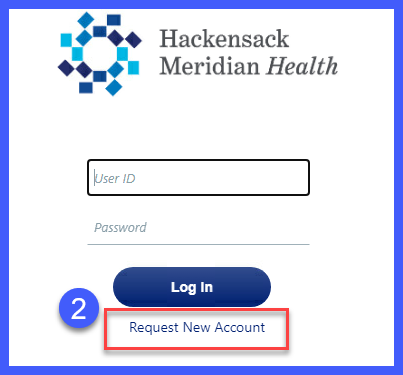
- If you don’t have an account, use the Sign Up option and follow the prompts (you may need an activation code from your provider or bill, plus your personal details).
- Once logged in, select Billing or Billing Summary to:
- Choose Make a Payment or Pay Now for the bill you want to pay.
- Select your payment method (typically credit/debit card or bank account, depending on the HMH payment platform).
- Confirm the amount and submit your payment, then keep the confirmation for your records.
You can also access MyChart and billing through the HMH Well mobile app, which links directly to MyChart to manage appointments, results, and payments from your phone.
Pay by Phone
HMH offers a 24/7 automated phone payment system plus billing support for questions or detailed help.
Verified payment and billing numbers:
- Automated Bill Pay (24/7):1‑732‑776‑4380
- Billing Customer Service:551‑996‑1960
Steps to pay by phone:
- Call 1‑732‑776‑4380 any time.
- Follow the automated prompts to select bill payment.
- Enter your account or guarantor number, plus any other requested verification details (often found on your bill).
- Enter your payment amount and provide your card or bank information when prompted.
- Listen for and record your confirmation number or payment confirmation message.
To speak with someone about your bill instead of using automation, call 551‑996‑1960 during billing support hours.
Pay In Person
HMH facilities and hospital billing offices may accept in‑person payments, but locations and hours vary by hospital and clinic.
Practical steps:
- Check your bill or statement for information on in‑person payments or a listed cashier/billing office.
- Visit your hospital’s site (e.g., Hackensack University Medical Center, Mountainside Medical Center, etc.) and look for Billing, Patients & Visitors, or Important Phone Numbers to find local billing contacts and directions.
- Call the listed billing number (for example, Mountainside’s billing line 844‑220‑0452) to confirm whether that location accepts walk‑in payments and which methods they allow.
- Bring your statement, a valid photo ID, and your chosen payment method (card, check, or cash if accepted).
- Request a receipt once your payment is posted.
Because policies differ, always confirm with the specific hospital or center before traveling.
Pay In Store (Retail Locations)
HMH does not list national retail partners (such as Walmart or CVS) as official bill‑payment locations. Some patients may choose to use third‑party bill‑pay services like doxo, but these are not affiliated with HMH and may add extra fees.
If you consider a third‑party service:
- Verify the site is legitimate and clearly states that it can pay Hackensack Meridian Health.
- Understand that payments through third‑party sites might take longer to post, which can be risky if your bill is close to or past due.
For urgent or time‑sensitive payments, use MyChart, Pay as Guest, or the official phone line instead.
Pay by Mail
HMH generally accepts checks and money orders by mail, but the correct mailing address can differ by hospital or provider group and should be taken from your actual statement.
Steps:
- Look at your HMH billing statement for the mailing address printed in the “Mail payment to” or remit section.
- Write a check or money order for the amount due, payable to the exact entity name shown (e.g., the specific hospital or medical group).
- Write your account/guarantor number and a contact phone number on the memo line.
- Include your payment coupon or a copy of the statement.
- Mail the envelope several business days before the due date; use trackable or expedited mail if the bill is already close to overdue.
If your statement does not clearly show the address, call billing support at 551‑996‑1960 or the hospital’s billing line to confirm before mailing.
Common Issues and Fixes
Cannot Log In
- Confirm you’re on the correct MyChart login: https://mychart.hmhn.org.
- Use the “Forgot username” or “Forgot password” links on the login page and follow the instructions sent to your email or phone.
- Make sure your account is fully activated; some sign‑ups require an activation code and verification.
- If you still cannot access your account and your bill is urgent, use Pay as Guest or the automated phone payment line (1‑732‑776‑4380) while you contact MyChart support or billing.
Forgot Account Number
- Check your paper statement or any HMH billing emails for your guarantor or account number.
- On the Pay as Guest page, use the on‑screen guidance to locate your guarantor name and account number on the bill.
- If you still can’t find it, call Billing Customer Service at 551‑996‑1960 or the hospital’s billing number and verify your identity to retrieve your account details.
Payment Not Going Through
- Confirm that your card or bank details are correct and that your bank hasn’t flagged the transaction.
- Try another browser or device if MyChart or Pay as Guest pages are not loading or erroring out.
- If the MyChart platform is timing out, try the 24/7 automated phone payment line (1‑732‑776‑4380) for the same‑day payment.
- If you suspect a duplicate or failed payment, contact billing support (551‑996‑1960 or the facility billing number) with your confirmation details before attempting another payment.
Website Not Working
- Ensure you’re using official domains (hackensackmeridianhealth.org or mychart.hmhn.org) and not a look‑alike site.
- Clear your browser cache, disable VPN/ad‑blockers temporarily, and retry.
- If HMH’s online systems are temporarily unavailable, switch to phone payments or follow the address on your statement to mail a payment, then confirm with billing that they will note the outage and work with you on any timing issues.
Tips to Reduce or Manage Your Bill
Payment Plans
HMH offers financial assistance and payment options for eligible patients who are struggling to pay their bills.
Practical steps:
- Call the appropriate Financial Assistance or billing office listed on your bill to ask about interest‑free payment plans or extended terms.
- Be ready with your account number, current balance, and a budget for how much you can pay per month.
- Use MyChart to explore any payment plan or estimate tools that may be available for your account.
Negotiation Tips
You may not always be able to “negotiate” the medical charges themselves, but you can often improve how and when you pay:
- Ask for a detailed itemized bill to verify all charges and remove obvious errors.
- Check your insurance Explanation of Benefits (EOB) to confirm what should have been covered; contact your insurer if something appears unpaid or underpaid.
- Once errors are corrected, ask HMH billing whether they can reduce late fees or offer a more manageable payment plan if you commit to a schedule.
Avoiding Late Fees
- Pay online or by phone as soon as you receive your bill, not just by the due date, to allow for processing time.
- Enroll in MyChart and enable electronic statements or reminders so you don’t miss new bills.
- If you know you’ll be late, contact billing before the due date to discuss options and ask if they can note your account or offer a short extension.
Assistance Programs
HMH provides formal financial assistance for patients who qualify, particularly low‑income or uninsured/underinsured individuals.
Key contacts from HMH financial assistance information:
- Hackensack University Medical Center Financial Assistance: 551‑996‑4343
- Carrier Clinic Financial Assistance: 551‑996‑3990
- All Other HMH Locations Financial Assistance: 732‑902‑7080
Steps:
- Call the appropriate number above for your facility.
- Ask about charity care, discounts, and payment plan options.
- Be prepared to provide income documentation, insurance information, and recent bills.
This can significantly reduce what you owe if you meet the eligibility criteria.
FAQs
1. What is the easiest way to pay my Hackensack Meridian Health bill?
Most patients use HMH MyChart or Pay as Guest online to pay by card or bank account quickly, without waiting on the phone or mail.
2. Can I pay my HMH bill without a MyChart account?
Yes. Use the Pay as Guest page and enter the guarantor name and account number from your statement to pay without logging in or creating an account.
3. What phone number do I call to pay my HMH bill?
Use the 24/7 automated payment line at 1‑732‑776‑4380 to make a payment by phone. For bill questions, call 551‑996‑1960 or the billing number listed on your statement.
4. Does Hackensack Meridian Health offer financial assistance?
Yes. HMH offers financial assistance and payment plans; contact 551‑996‑4343 (Hackensack University Medical Center), 551‑996‑3990 (Carrier Clinic), or 732‑902‑7080 (other locations) to discuss options.
5. Is it safe to use online bill pay for HMH?
Yes. HMH uses secure platforms (MyChart and integrated electronic billing/payment systems) designed for protected patient payments; just be sure you are on official HMH or MyChart sites before entering payment details.