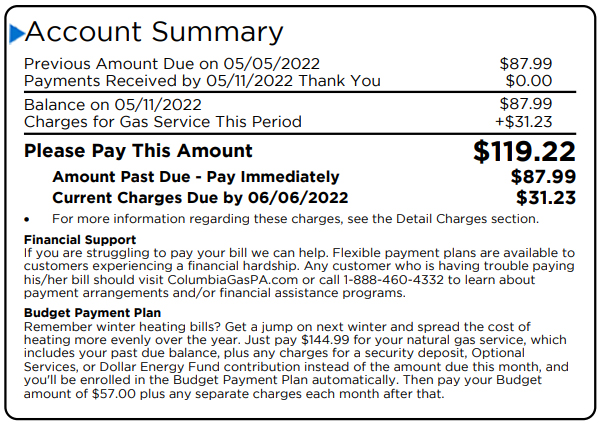
Columbia Gas of Pennsylvania provides natural gas service to customers across the state. Account holders can pay their bills conveniently through multiple secure channels, including a guest-friendly online option.
For fast one-time payments without creating an account, use the Quick Pay feature through Columbia Gas of Pennsylvania’s payment portal at https://www.columbiagaspa.com/bills-and-payments/pay-my-bill.
For complete payment options and account management tools, visit the official Payment Options page at https://www.columbiagaspa.com/bills-and-payments/payment-options.
Guest / One-Time Payment (Quick Pay)
Columbia Gas of Pennsylvania offers a convenient one-time payment option that allows you to pay your bill without signing into a full online account.
This guest payment method uses their payment processing vendor, Paymentus. You can pay using a credit card, debit card, Apple Pay, Google Pay, PayPal, or Venmo.
No convenience fees apply to residential customers for one-time online payments.
To pay as a guest:
- Go to https://www.columbiagaspa.com/bills-and-payments/pay-my-bill
- Select the one-time payment option
- Enter your account information and complete your secure payment
This is the fastest way to make a single payment without registration.
Online Account Payments and AutoPay
Registered users can log in to manage their accounts fully through the Columbia Gas portal or mobile app.
Features include:
- Viewing bills and usage history
- Making one-time or recurring payments
- Enrolling in AutoPay (automatic bank account withdrawals)
- Setting up paperless billing
- Managing multiple accounts
Creating an online account also allows you to pay directly from your bank account with no fees.
Pay by Phone
You can make payments over the phone by calling 1-888-460-4332.
An automated system is available 24/7 for payments. Customer service representatives are available Monday through Friday, 7:00 a.m. – 7:00 p.m. ET. No fees apply for phone payments in most cases.
Pay by Mail
Mail your payment with the remittance stub or account number to: Columbia Gas of Pennsylvania P.O. Box 70285 Philadelphia, PA 19176-0285
Include your 15-digit account number on the check or money order. Allow extra time for mail delivery and processing. Do not send cash by mail.
In-Person Payments
You can pay your Columbia Gas of Pennsylvania bill in person at authorized payment locations throughout the service area.
To find a location near you, visit https://www.columbiagaspa.com/bills-and-payments/payment-options/find-a-payment-location and enter your address or ZIP code. Always keep your receipt for your records.
Mobile App
Download the Columbia Gas mobile app (available on iOS and Android) to pay your bill, view usage, manage your account, and enroll in programs like AutoPay or Budget Billing from anywhere.
Customer Service Contact
Customer Service Phone: 1-888-460-4332 (Monday–Friday, 7 a.m. – 7 p.m. ET) Gas Emergencies: 1-888-460-4332 (24/7) Website: https://www.columbiagaspa.com/
Representatives can assist with payments, account questions, payment arrangements, and enrollment in assistance programs.
Additional Notes
Columbia Gas of Pennsylvania offers various programs to help customers manage bills, including payment plans, Budget Billing, and energy assistance referrals.
For the most secure experience, use official channels (columbiagaspa.com or the Paymentus portal). Always verify your account number on your current bill before making payments.
Frequently Asked Questions
How do I make a one-time payment without creating an account? Use the one-time payment option at https://www.columbiagaspa.com/bills-and-payments/pay-my-bill. Pay as a guest with a credit/debit card, Apple Pay, Google Pay, PayPal, or Venmo. No fees for residential customers.
What is the phone number to pay my Columbia Gas PA bill? Call 1-888-460-4332. An automated system is available 24/7 for payments.
Where do I mail my Columbia Gas of Pennsylvania payment? Mail payments to: Columbia Gas of Pennsylvania, P.O. Box 70285, Philadelphia, PA 19176-0285. Include your account number on the check.
Can I pay my bill in person? Yes. Find authorized payment locations near you at https://www.columbiagaspa.com/bills-and-payments/payment-options/find-a-payment-location.
How do I set up automatic payments? Log in to your online account at the Columbia Gas portal or through the mobile app and enroll in AutoPay.