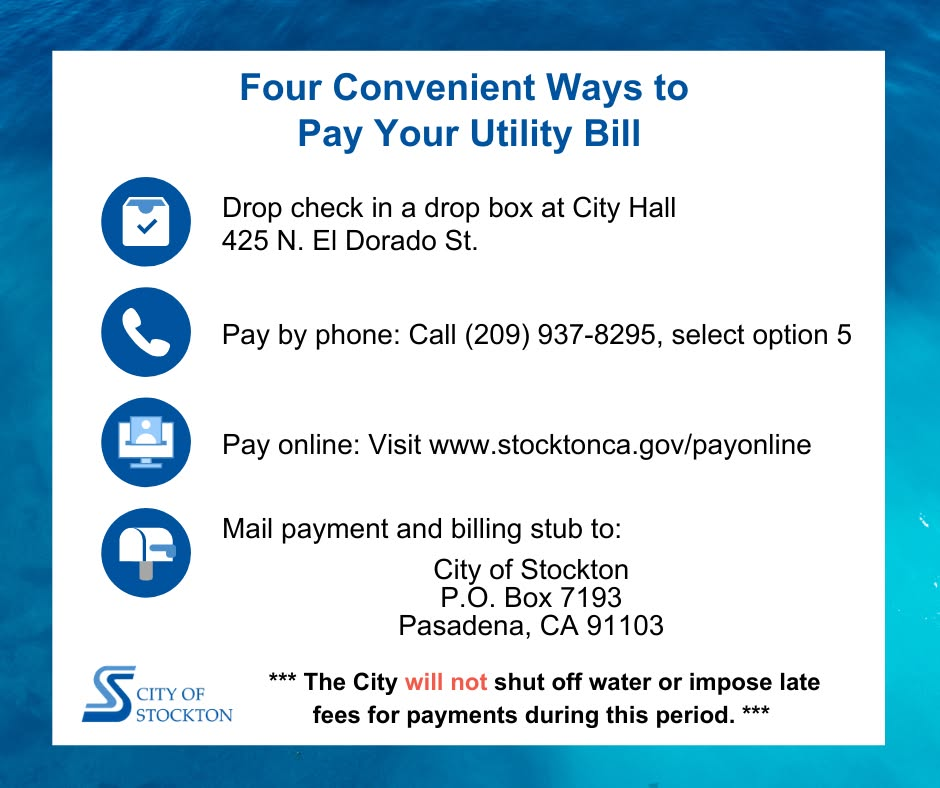
The City of Stockton, California, provides essential utility services including water, sewer, and stormwater management to residents and businesses. Timely payment of your City of Stockton utility bill ensures continuous service, supports local infrastructure, and helps avoid late fees or disconnection. The city offers secure online, phone, mail, and in-person payment options through official channels.
- You can view your account, make payments, and manage your utility bill through the official Click2Gov Utility Billing portal at https://egov.stocktonca.gov/Click2GovCX/index.html.
- For complete billing instructions, payment setup details, and additional resources, visit the city’s Utility Billing page at https://www.stocktonca.gov/services/utility_billing.php.
Online Payment Portal (Click2Gov)
The Click2Gov system provides convenient online access to your utility account. Registered users can view current and past bills, payment history, and make one-time or recurring payments using Visa, MasterCard, or debit cards.
How to Pay Online
- Visit the Click2Gov portal and sign in or create an account using your utility account information or establish a PIN.
- Review your balance and billing details.
- Select your payment amount and method, then submit the transaction.
The portal supports secure, 24/7 access for most functions, with payments typically processing the same day when completed before daily cutoffs.
Pay by Mail
Mail your check or money order (payable to City of Stockton) along with the billing stub to:
City of Stockton P.O. Box 45830 San Francisco, CA 94145-0830
Include your account number on the check for accurate crediting. Allow 5–7 business days for mail payments to process. Do not send cash by mail.
In-Person Payments
Payments are accepted at the City Hall Administrative Services Department during regular business hours. Cash, checks, and money orders are welcome (subject to any applicable policies). A drop box is also available for after-hours check payments.
Location: City Hall, Administrative Services Department 501 W. Weber Avenue, Building 2, First Floor Stockton, CA 95203
Hours: Monday through Friday, 8:00 a.m. – 4:30 p.m. (City offices are closed every other Friday; open 8:00 a.m. to noon on the first open Friday of each month).
Confirm current hours or any temporary changes by phone before visiting.
Pay by Phone
Make payments using the automated phone system by calling (209) 937-8295 and selecting the appropriate option. The system accepts checks, Visa, Discover, and MasterCard. Have your account number ready for faster service. This option provides immediate confirmation for most transactions.
Contact City of Stockton Utility Billing
For billing questions, payment arrangements, account issues, or service start/stop requests:
- Utility Billing Customer Service: (209) 937-8295
- Email: [email protected]
- Fax: (209) 937-8051
- Ask Stockton (Online Form): Available via the city website for non-urgent questions
Staff are available during business hours to assist with payments, disputes, or other needs. Have your account number ready when contacting support.
Overview of City of Stockton Utilities Services
The City of Stockton Municipal Utilities Department manages water distribution, sewer collection, and stormwater services for the community. The department focuses on reliable service delivery, infrastructure maintenance, and customer support through digital tools and local centers. Bills reflect usage plus applicable fees, and the city provides resources for conservation and account management. Customers can access detailed billing information and payment history through the official online portal.
Frequently Asked Questions (FAQs)
How do I pay my City of Stockton utility bill online? Use the official Click2Gov portal at https://egov.stocktonca.gov/Click2GovCX/index.html to sign in or register and submit payments with a card.
Is there a guest or one-time payment option without a full account? One-time payments are available through the Click2Gov system after accessing your account or establishing a PIN. Follow the portal instructions for quick payments.
Where do I mail my utility payment? City of Stockton, P.O. Box 45830, San Francisco, CA 94145-0830. Include your billing stub and account number.
What are the in-person payment hours and location? Monday–Friday, 8:00 a.m.–4:30 p.m. at City Hall, 501 W. Weber Avenue, Building 2, First Floor, Stockton, CA 95203. A drop box is available for checks after hours.
Can I pay by phone? Yes. Call the automated system at (209) 937-8295 and follow the prompts. Have your account number ready.
What payment methods are accepted? Online and phone: Visa, MasterCard, Discover, and checks (via automated system). In-person: Cash, checks, and money orders.
How do I set up automatic or recurring payments? Log into the Click2Gov portal and enroll in recurring payment options if available, or contact customer service at (209) 937-8295 for assistance.
What if I need a payment arrangement? Contact Utility Billing Customer Service at (209) 937-8295 to discuss options. Acting early helps avoid late fees or service issues.
Where can I find my account number? It appears on your monthly utility bill or statement.
How long does it take for payments to post? Online payments typically process the same day. Mail payments take 5–7 business days.