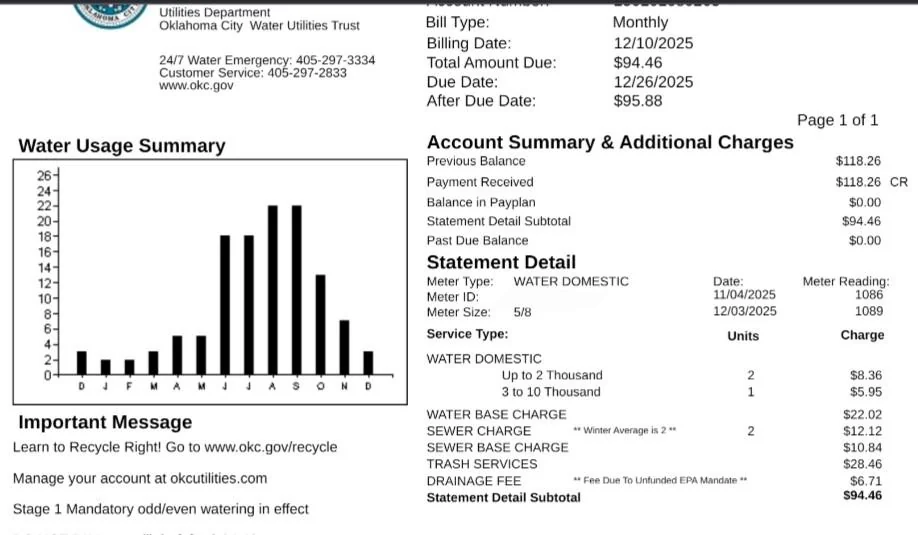
Pay your City of Oklahoma City Utilities bill (water, sewer, trash & recycling) quickly and securely using the official My OKC Utilities portal and app. Make one-time payments as a guest or register for full account management and Auto Pay.
- Pay OKC Utilities Bill Online – One-Time/Guest Pay (No login required for quick payments via portal or app)
- My OKC Utilities Portal & Auto Pay Login (Register or log in to view bills, set up recurring payments, and manage your account)
How to Pay Your OKC Utilities Bill
The City of Oklahoma City Utilities Department handles water, sewer, trash, and recycling services. Pay your bill conveniently online, via the mobile app, by phone, mail, Western Union, or at PaySite kiosks.
Login to Pay or Guest Pay
The My OKC Utilities portal at okcutilities.com supports one-time/guest payments without creating a full account.
Simply visit the site or use the mobile app to pay quickly.
For full features (view bills, payment history, usage, paperless billing, and Auto Pay):
- Register or log in at the portal.
Pay by Phone (24/7 Automated)
Call (405) 297-2833 and select option 2 for automated payments.
Accepts bank account, debit, or credit cards (Visa, Mastercard, Discover).
For customer service and billing questions (Monday–Friday, 8:00 a.m.–5:00 p.m.):
Use the same number.
Payment Address (Mail)
Send checks or money orders to:
City of Oklahoma City
P.O. Box 26570
Oklahoma City, OK 73126-0570
Include your account number for faster processing.
In-Person or Pay in Store
- PaySite Kiosks: Located at many Homeland, Crest Foods, and 7-Eleven stores. Pay with cash, card, or check (no cash back — excess credited to your account).
Find a kiosk: pay.uspayments.com/kiosk - Western Union Agent Locations: Fill out a form with biller name “Oklahoma City Utilities,” your account number, and amount due.
No city-owned walk-in payment offices are listed for routine bill pay.
OKC Utilities Mobile App & Payment Assistant
Download the My OKC Utilities app (available on Apple App Store and Google Play) to:
- Pay your bill securely
- View bills and payment history
- Set up or manage Auto Pay
- Add guest accounts for family members
- Receive notices and alerts
The app and portal are fully mobile-responsive.
Auto Pay and Payment Options
Enroll in Auto Pay through the portal or app for automatic monthly payments from your bank account or card. This is the easiest way to avoid late fees.
Fees and Late Payments
- No convenience fees are charged for standard online one-time payments or Auto Pay via the official portal and app.
- Phone payments and certain kiosk transactions may have processing fees (check at time of payment).
- Late payments may result in late fees or service interruption.
- Payment Extensions and Installment Plans are available — request via the portal or by calling customer service.
Contact OKC Utilities
- Customer Service: (405) 297-2833 (Mon–Fri, 8:00 a.m.–5:00 p.m.)
- Automated Payments / After-Hours: (405) 297-2833
- Emergencies (water outages, sewer backups): (405) 297-2833 (24/7)
- Email: [email protected]
- Official Portal: okcutilities.com
- City Website: okc.gov
Frequently Asked Questions
How do I pay my OKC Utilities bill online?
Visit okcutilities.com to make a one-time payment without logging in or register for full account access and Auto Pay.
Can I make a guest payment for my OKC Utilities bill?
Yes. The portal and My OKC Utilities app allow quick one-time payments without creating a full account.
What is the phone number to pay my OKC Utilities bill by phone?
Call (405) 297-2833 and select option 2 for the automated payment system.
Where do I mail my OKC Utilities payment?
Send payments to: City of Oklahoma City, P.O. Box 26570, Oklahoma City, OK 73126-0570.
How do I set up Auto Pay for my OKC Utilities bill?
Register or log in at okcutilities.com and enroll in automatic payments through the portal or My OKC Utilities app.
Is there a mobile app for OKC Utilities bill pay?
Yes. Download the My OKC Utilities app from the Apple App Store or Google Play to pay bills, manage Auto Pay, and view your account.
How do I avoid late fees on my OKC Utilities bill?
Enroll in Auto Pay, pay early through the portal or app, or request a payment extension via the portal or by calling (405) 297-2833.
Where can I pay my OKC Utilities bill in person?
Use PaySite kiosks at Homeland, Crest Foods, or 7-Eleven stores, or Western Union agent locations.
Information updated as of April 2026 from official City of Oklahoma City sources. Always verify the latest details directly on okcutilities.com or by calling (405) 297-2833, as payment options and policies may change.