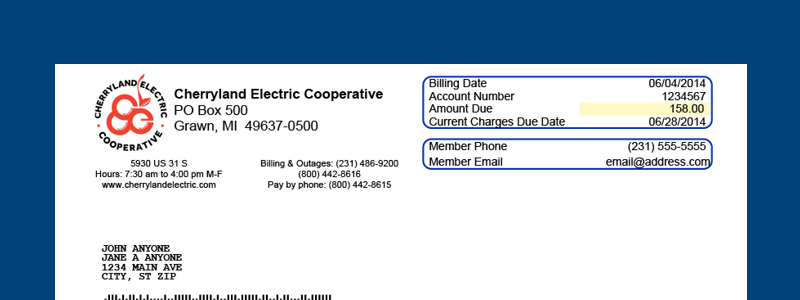
Cherryland Electric Cooperative offers convenient and fee-free payment options for your electric bill, including instant online payments through SmartHub, 24/7 automated phone payments, a 24-hour drive-up kiosk, in-person service, mail, and easy AutoPay enrollment. Members can also access payment arrangements and local financial assistance resources when needed. This guide provides the most current and accurate information directly from the official Cherryland Electric website.
To pay your Cherryland Electric bill quickly and securely or to explore all official options, visit the Billing page at https://cherrylandelectric.coop/billing/ or make a direct guest payment at the SmartHub Pay Now portal https://cecelec.smarthub.coop/ui/#/paynow/.
- Billing page: This central resource details every payment method, including online SmartHub access, phone instructions, the 24-hour kiosk, AutoPay signup steps, and financial assistance guidance. It is the best starting point for understanding all options and current policies.
- SmartHub Pay Now portal: This is the direct guest payment page for quick one-time payments without a full login. Enter your account details to pay immediately using supported methods such as bank account or credit/debit card. Ideal for fast payments on the go.
Online Payments via SmartHub (Guest Pay Available)
Cherryland Electric uses the SmartHub platform for online account management and bill payments.
To pay online:
- Visit the direct Pay Now portal at https://cecelec.smarthub.coop/ui/#/paynow/ for instant guest payments (no full account login required in many cases — simply provide your account number and ZIP code).
- Or go to https://cherrylandelectric.coop/ and click “My Account” at the top of the page (using the email on file) to log in to SmartHub.
- Download the free SmartHub app from the Apple App Store or Google Play Store, search for Cherryland Electric Cooperative, and log in.
SmartHub allows you to view your bill, make one-time or recurring payments, and manage your account from anywhere. Guest/quick pay options support bank account (ACH), credit/debit cards, and often digital wallets where available.
Key benefits: The cooperative does not charge processing fees for payments made through official channels. Payments are secure and processed promptly.
Pay by Phone (24/7 Automated Available)
Call Cherryland Electric at (231) 486-9200 or the toll-free number (800) 442-8616 (or 1-855-958-3685). Use the easy phone prompts to make a payment.
The automated phone payment system is available 24 hours a day, 7 days a week, allowing you to pay anytime using your bank account or credit/debit card. Live representatives are available during business hours for additional assistance, such as setting up AutoPay or discussing payment arrangements.
In-Person Payments & 24-Hour Kiosk
Office Address: 5930 US 31 South Grawn, MI 49637
Office Hours: 6:30 a.m. to 5:00 p.m., Monday through Thursday (confirm current hours by phone, as they may vary).
24-Hour Bill-Pay Kiosk: Drive up to the kiosk at the Grawn office drive-through for convenient payments any time of day or night. This is ideal for after-hours or weekend payments.
You can also stop in during office hours to speak with a representative or drop off a payment. The cooperative welcomes members and provides in-person support for account questions.
Pay by Mail
Mail your payment (check or money order) along with the payment stub to: Cherryland Electric Cooperative PO Box 500 Grawn, MI 49637
Use the self-addressed envelope included with your bill for faster processing. Payments are credited based on the date received. Allow extra mailing time near due dates.
AutoPay Options (Bank Draft or Credit/Debit Card)
Avoid late fees and the hassle of remembering due dates with AutoPay. Cherryland offers two simple options:
- Bank draft (ACH from checking or savings)
- Credit or debit card
How to enroll:
- Log in to your SmartHub account online or via the app
- Use the automated phone system
- Or sign up in person at the office
AutoPay deducts your payment automatically on the due date. The cooperative does not charge fees for this service, and you can cancel or modify it anytime through your account or by contacting the office. You will still receive a monthly statement showing the amount to be withdrawn.
Financial Assistance & Payment Arrangements
If you are having difficulty paying your bill, contact Cherryland Electric right away at (231) 486-9200. Do not wait until a disconnection notice. The cooperative works with members on payment arrangements to spread balances over time.
Additional resources include:
- Local assistance agencies and community programs
- Michigan Energy Assistance Program (MEAP) for income-qualified households
- Dial 2-1-1 (or 877-211-5253 from outside the area) for eligibility screening
- State Funded Assistance Guide and Local Assistance Resource List available on the website or by request
Representatives can guide you to the best options based on your situation.
Contact Cherryland Electric Cooperative
Physical Office: 5930 US 31 South, Grawn, MI 49637 Payments Mailing Address: PO Box 500, Grawn, MI 49637 Other Correspondence: PO Box 298, Grawn, MI 49637 Phone: (231) 486-9200 or toll-free (800) 442-8616 Email: [email protected] (responses within 2 business days; call for urgent matters) Website: cherrylandelectric.coop SmartHub: Access via “My Account” on the website, the app, or direct Pay Now at https://cecelec.smarthub.coop/ui/#/paynow/
The cooperative serves members in northwest Michigan and emphasizes reliable service, member-focused options, and no processing fees on standard payment methods.
Frequently Asked Questions
How do I make a quick guest payment without a full login?
Use the direct SmartHub Pay Now portal at https://cecelec.smarthub.coop/ui/#/paynow/. Provide your account number and ZIP code for a fast one-time payment. No processing fees apply through official Cherryland channels.
Are there fees for paying my Cherryland Electric bill?
Cherryland Electric Cooperative does not charge processing fees for any of its official payment methods, including online SmartHub payments, phone, kiosk, mail, or AutoPay. This makes official options the most cost-effective.
How do I set up or cancel AutoPay?
Log in to SmartHub online or in the app, go to the AutoPay or Bill & Pay section, and follow the prompts to add a bank account or card. You can also enroll by phone or in person. To cancel or update, use the same methods or contact the office. AutoPay is free and helps ensure on-time payments.
Can I pay at any time using the kiosk?
Yes. The 24-hour bill-pay kiosk at the Grawn office drive-through (5930 US 31 South) is available around the clock for your convenience, including evenings, weekends, and holidays.
What should I do if I can’t pay my bill on time?
Call (231) 486-9200 immediately to discuss payment arrangements. The cooperative works with members to avoid disconnection. You may also qualify for local assistance programs or the Michigan Energy Assistance Program (MEAP). Representatives can connect you with resources.
Where do I mail my payment?
Send your check or money order with the payment stub to PO Box 500, Grawn, MI 49637. Use the envelope provided with your bill.
How do I access my bill or manage my account online?
Click “My Account” at the top of cherrylandelectric.coop (using the email on file) to log in to SmartHub, or use the direct Pay Now link for quick payments. From there you can view bills, make payments, set up AutoPay, track usage, and more.