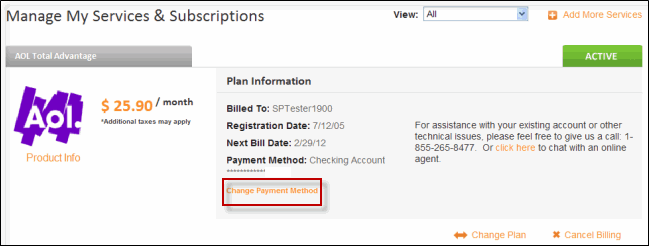
AOL (now part of Yahoo) provides email, news, and subscription services with monthly or annual billing for paid features and Premium Services. Statements show your current balance and a clear due date. Timely payment prevents service interruption and late fees.
- For the most current details on accounts and billing, visit the official My Account page at https://myaccount.aol.com/ where you can manage payments and view statements after signing in with your Primary username.
- You can also review billing questions and payment methods on the official AOL Help page at https://help.aol.com/articles/account-management-questions-about-your-aol-bill.
Online Account Management with My Account
AOL requires signing in to My Account at https://myaccount.aol.com/ (using your Primary username and password) for all billing and payment activities. Once logged in, navigate to Wallet > Payment Methods to add, edit, or remove credit/debit cards (Visa, MasterCard, Discover, American Express) or PayPal. From Wallet > My Bill, you can view your full billing statement, payment history, and recent activity for any time period.
The portal supports one-time payments and recurring setups directly from your saved payment methods. All transactions are processed securely with real-time updates. No standalone guest pay option exists—payments are tied to your signed-in AOL account for security and accuracy.
Automatic Payments
Enroll in recurring automatic payments through My Account under Wallet > Payment Methods. This free service automatically charges your saved credit/debit card or PayPal on the billing date each month, eliminating missed payments and late fees. You can modify or cancel automatic payments anytime after signing in. Direct debit from checking/savings accounts is no longer available for active accounts but may be used for past-due balances (with a $7 fee).
Pay by Phone & Customer Service Assistance
Call AOL Member Services at 1-800-827-6364 (paid members, 24/7 availability) to make a payment, update payment methods, or discuss your account. Have your AOL username and billing details ready. Representatives can assist with one-time payments, billing questions, or payment arrangements during support hours.
Contact Customer Service
Reach AOL support by signing in to My Account and using live chat (available 24/7 for paid members) or calling 1-800-827-6364. For technical or general account questions, the same number and chat options apply. There are no public mail addresses or in-person payment locations for AOL bills—all transactions are handled digitally through the secure online portal.
Frequently Asked Questions
Can I pay my AOL bill online without signing in to a full account? No. All payments and billing management require signing in to My Account at https://myaccount.aol.com/ with your Primary username. There is no standalone guest pay option.
What payment methods does AOL accept? Credit or debit cards (Visa, MasterCard, Discover, American Express) and PayPal (for most online purchases). Direct debit from checking/savings is limited to past-due balances only.
Are there convenience fees for AOL payments? No convenience fees are charged for official online or automatic payments. A $7 fee may apply for direct debit on past-due balances.
How do I view my AOL billing statement? Sign in to My Account at https://myaccount.aol.com/, go to Wallet > My Bill, and select the desired time period from the dropdown.
How do I set up or update automatic payments? After signing in to My Account, go to Wallet > Payment Methods and manage recurring charges. Changes take effect immediately for future billing cycles.
What services does AOL provide? Email, news, search, and paid subscriptions including AOL Mail Plus and Premium Services with flexible online billing management.
How do I get help with billing questions or payment arrangements? Sign in to My Account and use live chat, or call 1-800-827-6364 (24/7 for paid members). Flexible arrangements are available through Member Services for qualifying accounts.