City of Alcoa Utilities (Alcoa, Tennessee) provides electric, water, and wastewater services to residents and businesses. Customers can conveniently pay utility bills through the secure online payment system (powered by Arista), the PowerPal mobile app, by phone, in person, by mail, or via the drop box. The portal supports one-time payments and full account management.
Quick Pay Links:
How to Pay Your Alcoa Utilities Bill
Online Payment / Guest-Style Pay
- Visit the Online Utility Bill Payment Site: https://abpp.aristainfo.com/abpp/CustomerLogin.aspx?ClientId=CAU
- First-time users: Use the login and password printed on your utility bill, or create a new login with your account number and the name on the account.
- Make a one-time payment or manage your account (view bills, set up recurring options).
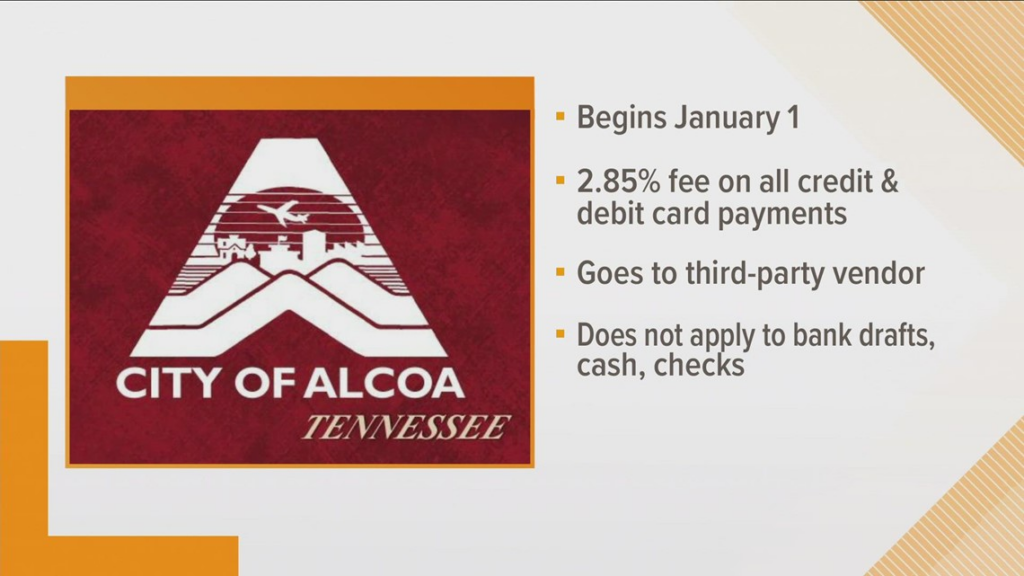
Note: A 2.85% convenience fee applies to all credit and debit card payments.
PowerPal Mobile App
Download the free PowerPal app (search “Alcoa Outage” or “PowerPal” in the App Store or Google Play). The app allows you to view your account, make payments with credit/debit card or check, report outages, and see outage maps.
Pay by Phone
Call the Utility Billing line at 865-380-4890 and select Option 2 (or the appropriate option after hours). Credit/debit card payments are accepted (2.85% convenience fee applies).
In-Person / Pay in Store
Visit the City of Alcoa Municipal Building: Address: 223 Associates Boulevard, Alcoa, TN 37701
Hours: Monday – Friday, 8:00 AM – 4:30 PM
Cash, check, or money order accepted. Credit/debit cards may also be available (convenience fee applies).
Drop Box: Located in the Municipal Building parking lot for after-hours payments (checks or money orders only).
Mail a Payment
Mailing Address: City of Alcoa P.O. Box 9610 Alcoa, TN 37701
Include your account number on the check or money order.
Bank Draft (AutoPay)
Enroll in the Bank Draft Program for automatic monthly withdrawals from your checking account (free after approval).
- Requires at least 6 months of on-time payments.
- Complete the Bank Draft form and submit it at the Municipal Building.
- It may take 4–6 weeks to activate — continue paying by another method until your bill shows “Paid by Bank Draft.”
Contact Information
- Utility Billing / Customer Service: 865-380-4700 or 865-380-4890
- Electric Department: 865-380-4800
- Business Office Email: [email protected]
- Physical Address: 223 Associates Boulevard, Alcoa, TN 37701
- Official Website: cityofalcoa-tn.gov
FAQs
How do I pay my City of Alcoa Utilities bill online?
Go to the Online Utility Bill Payment Site at abpp.aristainfo.com/abpp/CustomerLogin.aspx?ClientId=CAU. Use the login from your bill or create one with your account number.
Is there a guest pay option?
Yes. The online portal allows quick payments using your account number and name on the account without full prior registration.
What payment methods are accepted?
Credit/debit cards (2.85% convenience fee), bank account (via bank draft), cash, check, or money order. The PowerPal app also supports check payments.
Can I pay my Alcoa Utilities bill by phone?
Yes. Call 865-380-4890 and select Option 2. Credit/debit card payments incur a 2.85% fee.
Where can I pay in person?
At the Municipal Building, 223 Associates Boulevard, Alcoa, TN 37701 (Monday–Friday 8:00 AM – 4:30 PM). A drop box is available in the parking lot for checks/money orders.
Is there a mobile app for bill pay?
Yes. Download the PowerPal app to pay bills, view your account, and report outages from your smartphone.
How can I avoid the convenience fee?
Use bank draft (AutoPay), cash, or check (in person or by mail). Enroll in bank draft after 6 months of on-time payments.
Tip: Log into the online portal or PowerPal app regularly to monitor your bill and usage. Enroll in bank draft for hassle-free automatic payments. For billing questions, high bill inquiries, or service issues, contact the Utility Billing office at 865-380-4700. For the most current fees and information, visit the official City of Alcoa website at cityofalcoa-tn.gov.