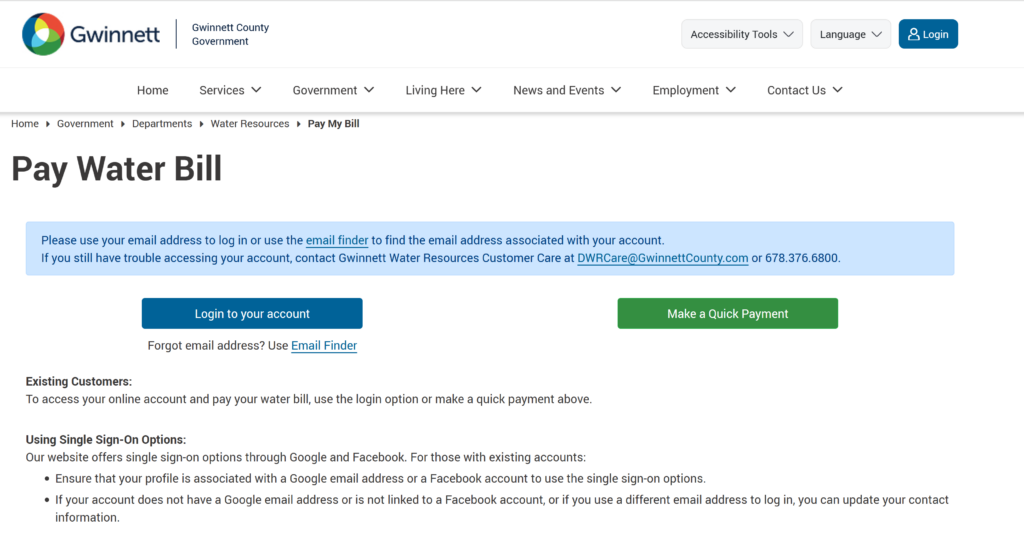
Gwinnett water bill pay online is fast and secure through the official Gwinnett County payment portal. Residents can pay their water, sewer, and stormwater bills as a guest (no login needed) or by logging into MyGwinnett for full account management and AutoPay.
Gwinnett County recently launched a modernized website in January 2026, which includes a new login system and updated URLs for services like water bill pay. While the shortcut Gwinnetth2o.com remains valid, it now redirects to a updated portal.
Quick Pay Links:
How to Make a Gwinnett Water Bill Pay Online
Guest Pay / One-Time Payment (No Login Required)
- Visit the official payment page: https://gwinnettcountyga.gov/pay
- Select Water Bill or Utility Bill.
- Enter your account number (found on your Gwinnett water bill).
- Review the amount due and pay with credit/debit card or bank account (ACH/e-check).
This is the quickest way for a one-time Gwinnett water bill pay online.
Login to MyGwinnett Account (Recommended)
- Go to MyGwinnett: https://gwinnettcountyga.gov/my-gwinnett
- Sign in or register for an account.
- Once logged in, you can:
- View current and past bills
- Make payments
- Enroll in AutoPay (automatic bank draft)
- Sign up for e-billing (paperless statements)
- Track water usage and set alerts
Pay by Phone
Call Gwinnett County Customer Service at 770-822-8800 (Option for payments). Automated and live assistance are available during business hours.
In-Person / Pay in Store
Pay at the Gwinnett County Payment Center or authorized locations: Address: 75 Langley Drive, Lawrenceville, GA 30046
Cash, check, money order, and credit/debit cards are accepted (convenience fees may apply for cards).
Mailing Address: Use the remittance address printed on your Gwinnett water bill.
Mobile App
There is no dedicated Gwinnett Water app. Use your mobile browser to access the official payment portal or MyGwinnett for convenient Gwinnett water bill pay online on the go.
Payment Methods and Fees
- Bank Account (ACH/e-check): Lowest-cost or no extra fee.
- Credit/Debit Card: Convenience fees apply (shown before payment).
- AutoPay: Free recurring payments from your bank account — highly recommended.
Late Payments: Pay on time to avoid penalties. Contact customer service for payment arrangements or extensions if needed.
Contact Information
- Customer Service: 770-822-8800
- Water/Sewer Emergencies (24/7): 770-822-8800 (after hours follow prompts)
- Website: gwinnettcountyga.gov
FAQs
How do I make a Gwinnett water bill pay online?
Use the official payment portal at gwinnettcountyga.gov/pay for quick guest payments or log into MyGwinnett for full account access and AutoPay.
Is there a guest pay option for Gwinnett water bills?
Yes. You can pay as a guest by entering your account number without creating a full account.
What payment methods are accepted?
Credit/debit cards and bank account (ACH). AutoPay from your bank account is free and recommended.
Can I pay my Gwinnett water bill by phone?
Yes. Call 770-822-8800 for payment assistance.
Where can I pay my Gwinnett water bill in person?
At the Gwinnett County Payment Center, 75 Langley Drive, Lawrenceville, GA.
Is there a mobile app for Gwinnett water bill pay online?
No dedicated app exists. Use your mobile browser on the official payment portal or MyGwinnett.
Tip: Keep your Gwinnett water account number handy for faster service. Enroll in AutoPay and e-billing for automatic on-time payments and paperless statements. For billing questions, emergencies, or payment arrangements, contact Gwinnett County Customer Service at 770-822-8800. For the most current information and fees, always visit the official Gwinnett County website at gwinnettcountyga.gov.