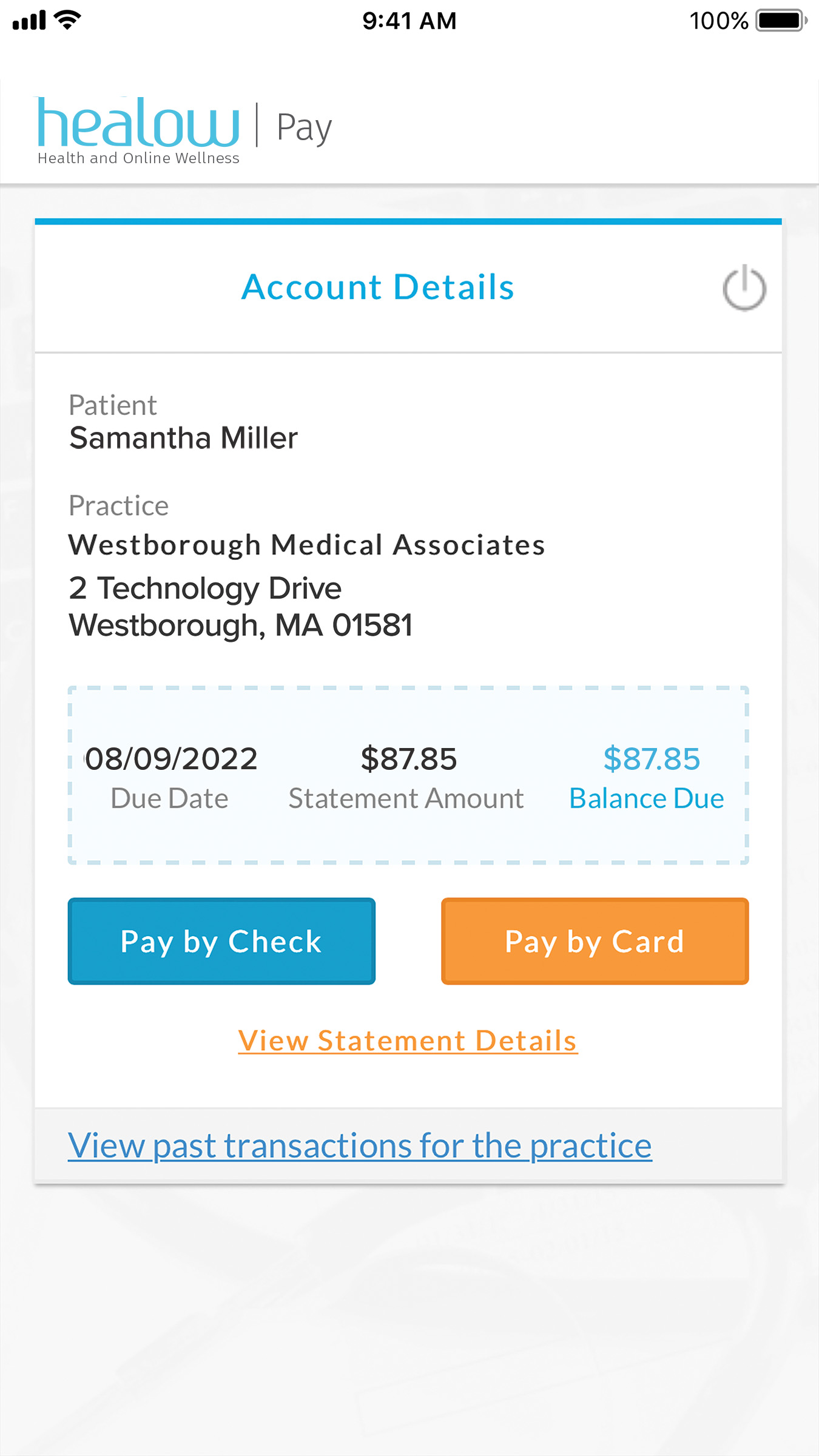
Healow (from eClinicalWorks) is a secure patient portal and billing platform used by thousands of medical practices across the United States. It allows patients to view statements, make payments, schedule appointments, and access health records. Paying your Healow bill on time prevents late fees, collection actions, or service restrictions while keeping your medical account current.
Official Healow Payment Resources
- healow Pay – Quick Online Bill Payment – Official healow Pay solution for fast, secure payments without needing to log into a full portal or remember a username and password.
- HealowPay Portal Login – Direct secure login for patients to view statements, make payments, and manage billing from any device.
Bank account (ACH/eCheck) and credit/debit card payments are supported through the authorized healow Pay system. Convenience fees may apply for certain card transactions and are disclosed at checkout. Payments are processed securely and typically post within 1–2 business days.
1. Quick Pay via healow Pay (Fastest for One-Time Payments)
healow Pay is the primary, secure way to make a one-time payment without logging into a full patient portal.
How to pay using healow Pay:
- Visit the official healow Pay page at https://plus.healow.com/online-bill-pay/.
- Patients often receive a secure text message or email from their provider with a direct payment link.
- Click the link or go to the portal, enter your statement code or account details, and verify your identity (usually last name and date of birth).
- Select the payment amount and choose bank account (ACH) or credit/debit card.
- Review and submit for immediate confirmation.
This method requires no username or password and is available via secure text, email, or the provider’s website “Bill Pay” button. It is ideal for quick payments when you receive a balance notification.
2. Pay Online via Healow Patient Portal (Recommended for Full Management)
The official Healow Patient Portal provides complete account access and recurring payment options.
How to pay:
- Visit the Healow Patient Portal at https://healow.com/apps/jsp/webview/signIn.jsp or the HealowPay portal at https://healowpay.com/HealowPay/jsp/healow/login.jsp.
- Sign in with your existing credentials or register using the activation code from a recent statement.
- Navigate to Billing or Pay Your Bill.
- View your current balance, statements, and payment history.
- Select Make a Payment and pay with bank account (ACH) or credit/debit card.
The portal also supports paperless statements, appointment scheduling, and communication with your provider.
3. Set Up Recurring Payments
Enroll in recurring payments through the Healow Patient Portal or healow Pay for automatic deductions on the due date. This eliminates missed payments and late fees. You can modify or cancel recurring payments anytime in the portal.
4. Pay by Phone
Call your medical practice’s billing department using the phone number listed on your statement. Representatives can process payments with bank or card details during business hours. For general Healow Pay support, use the contact form on the Healow website or the practice’s billing line.
5. Payment Assistance & Important 2026 Notes
If you are experiencing financial hardship, contact your medical practice’s billing department immediately to discuss payment arrangements or financial assistance options before your due date. Many practices using Healow offer flexible plans on a case-by-case basis.
Important 2026 Notes:
- Always use official healow.com or plus.healow.com domains and the verified payment links above.
- Healow never requests payment via gift cards, wire transfers, cryptocurrency, or unsolicited links.
- Late payments may result in additional fees or referral to collections after proper notice.
- For technical portal issues, use the in-portal help or contact your provider’s office.
Customer Service
- Use the secure contact form on plus.healow.com or your practice’s billing department for support.
Frequently Asked Questions (FAQs)
1. What is the official way to pay my Healow medical bill? Use healow Pay at https://plus.healow.com/online-bill-pay/ for quick payments or the Healow Patient Portal for full account management.
2. Is quick/guest-style payment available without login? Yes — healow Pay allows payments via secure text, email, or the “Bill Pay” button without needing a username and password.
3. Are there fees for online payments? Bank account (ACH) payments have the lowest or no additional fee. Credit/debit card payments may incur a convenience fee (disclosed at checkout).
4. How do I receive a payment link? Your provider may send a secure text or email with a direct payment link through healow Pay.
5. Can I set up recurring payments? Yes — enroll in recurring payments directly in the Healow Patient Portal.
6. How quickly do online payments post? Most electronic payments post within 1–2 business days.
7. What should I do if I cannot pay my full bill? Contact your medical practice’s billing department immediately to discuss payment arrangements or assistance options.
8. Can I view my statements and payment history online? Yes — full access is available after signing into the Healow Patient Portal.
9. Is the Healow mobile app official? Yes — download the free Healow app from the App Store or Google Play to manage payments and view records on the go.
10. Are third-party bill-pay services recommended? No. Healow only endorses its official healow Pay and Patient Portal channels to avoid extra fees or delays.