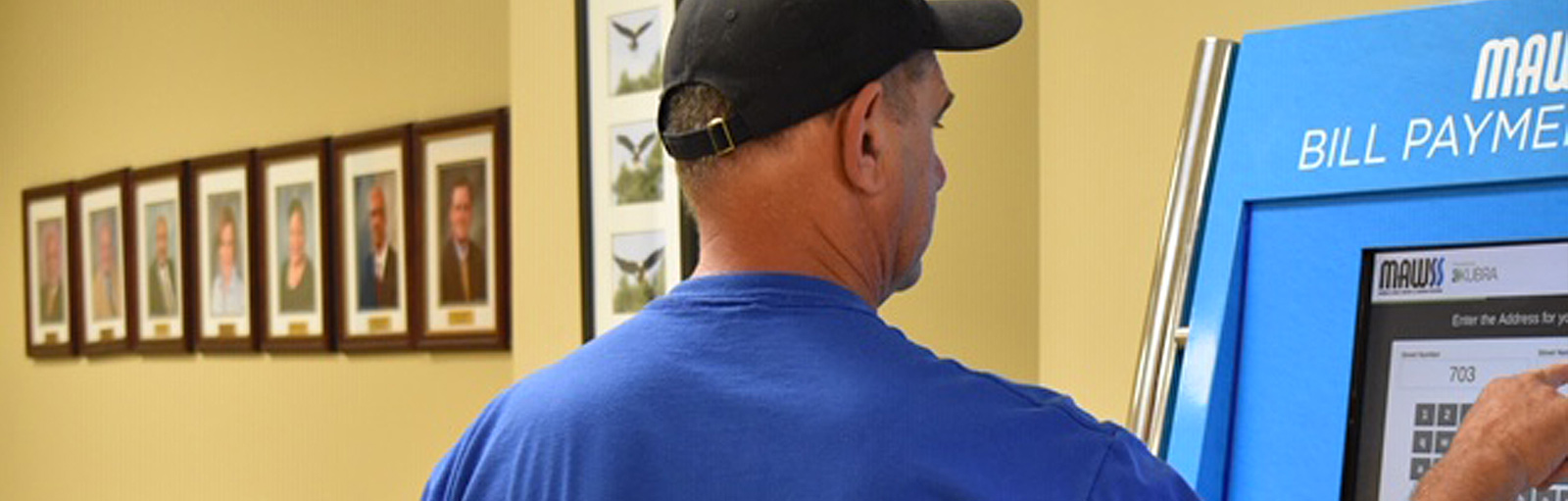
Pay your Mobile Area Water & Sewer System (MAWSS) bill quickly and securely through the official eBilling portal. Use Guest Pay for one-time payments (no login needed) or sign in to My Account for full access, recurring payments, usage tracking, and AutoPay.
Guest Pay / One-Time Payment (No Login Required) https://ebilling.mawss.com Pay instantly with e-check, credit, or debit card using your account number from your bill – no registration needed.
Sign In to My Account (Full Access) https://ebilling.mawss.com Register or log in to view bills, payment history, enroll in AutoPay, and manage multiple accounts.
How to Pay Your MAWSS Water & Sewer Bill
The Mobile Area Water & Sewer System (MAWSS) serves residents and businesses in Mobile, Alabama. Payments are handled through the official eBilling portal and multiple convenient options.
Guest Pay / One-Time Payment (No Login Required)
Use the official eBilling portal and select the Guest Pay option. Enter your account number (found on your bill) to pay instantly with e-check, credit card, or debit card — no account creation required.
Login to Pay / New Portal
Sign in or register at the same eBilling portal for full account management. View bills, track usage, set up recurring AutoPay, and add multiple accounts. First-time users register with your MAWSS account number.
Pay by Phone
Call 251-694-3164. A service fee of $2.95 applies. Automated and live assistance available.
Payment Address (Mail)
Mobile Area Water & Sewer System PO Box 71286 Charlotte, NC 28272-1286
Include your account number on the check or money order. Use the remittance coupon from your bill for fastest processing.
In-Person or Pay in Store
Pay in person or use 24-hour kiosks at:
- MAWSS Park Forest Plaza — 4725 Moffett Road, Mobile, AL 36618 (drive-thru and walk-up)
- Alabama Power payment centers (no additional fee at many locations)
- MAWSS EZ-Pay at participating retail locations (Walmart, etc.) for cash payments
Find all locations at mawss.com/payment-centers. Bring your current bill.
Contact MAWSS
- Customer Service: 251-694-3100 (Mon–Fri 8:00 a.m. – 5:00 p.m.)
- Pay by Phone: 251-694-3164
- Emergency / 24-Hour Customer Care: 251-694-3165
- Official Website: mawss.com
Mobile App & Payment Assistant
Download the official MAWSS Pay mobile app (available for iOS and Android) to pay your bill, view usage, manage your account, and receive notifications directly from your phone.
Fees and Late Payments
- Phone payments: $2.95 service fee.
- Online credit/debit card payments: Convenience fee shown at checkout (e-check typically lower cost).
- Pay by the due date on your bill to avoid late fees and possible service interruption.
Frequently Asked Questions
How do I pay my MAWSS water and sewer bill online?
Visit https://ebilling.mawss.com and choose Guest Pay (no login) or sign in to My Account.
Can I make a guest payment for my MAWSS bill?
Yes. The official portal offers a simple Guest Pay option using only your account number — no registration required.
What is the phone number for MAWSS bill pay?
Call 251-694-3164 (service fee applies). Customer service: 251-694-3100.
Where do I mail my MAWSS payment?
Send to PO Box 71286, Charlotte, NC 28272-1286.
How do I set up Auto Pay for my MAWSS bill?
Log into your My Account on the eBilling portal and enroll in recurring payments.
Is there a mobile app for MAWSS bill pay?
Yes. The official MAWSS Pay app lets you pay bills, view usage, and manage your account on the go.
How do I avoid late fees on my MAWSS bill?
Pay before the due date using Guest Pay, AutoPay, the mobile app, phone, mail, or in-person options.