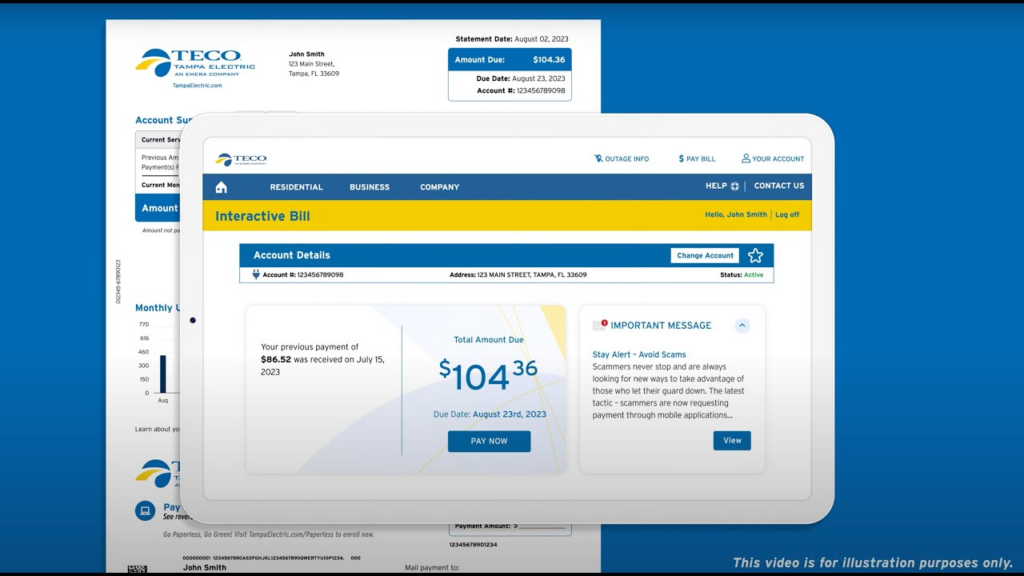
Tampa Electric Company (TECO), a subsidiary of TECO Energy, provides reliable electric service to more than 800,000 customers across the greater Tampa Bay area and parts of West Central Florida. Monthly bills include usage charges with a clear due date printed on each statement. Timely payment prevents late fees and service interruptions.
For the most current details on accounts and billing, visit the official Bill Pay page at https://www.tampaelectric.com/billpay where you can review all payment methods and select the option that works best for you.
You can also make a secure one-time or recurring payment directly through the official TECO Account portal at https://account.tecoenergy.com/ for full account management.
Guest Pay / One-Time Payment Option
Tampa Electric offers a convenient one-time payment (guest pay) option through its official online system—no full recurring account login required for single transactions. This feature is ideal for occasional users or those who prefer to pay manually without creating a profile.
To complete a one-time payment:
- Visit the Pay Now section on the official payment portal.
- Enter your account number from your bill.
- Provide payment details using a credit/debit card, Apple Pay, Google Pay, or bank account (ACH/eCheck).
- Review the amount and submit for immediate confirmation.
Payments are processed securely and typically post the same or next business day. You will receive an on-screen receipt. The portal is fully secure and mobile-friendly. A convenience fee applies for credit/debit/digital wallet payments (charged by the third-party processor KUBRA EZ-PAY; TECO receives none of the fee).
Online Account Management
Create a free TECO Account at https://account.tecoenergy.com/ for full 24/7 access. Once registered, you can view current and past bills, track usage history, enroll in paperless e-billing, set up recurring payments, and manage your TECO electric account from any device or the mobile app. The portal supports both one-time guest payments and recurring options. Log in to pay from your bank account with no convenience fee.
Automatic Payments
Enroll in free AutoPay through your TECO Account to have payments automatically withdrawn from your checking or savings account on the due date each month. This eliminates missed payments and late fees. You can modify or cancel AutoPay anytime through the portal.
Pay by Phone
Pay your bill by phone at 866-689-6469 (toll-free, available 24/7 for automated payments). The system accepts credit/debit cards, Apple Pay, Google Pay, or bank account payments. A convenience fee applies for card/digital wallet payments. For billing questions or assistance, the same number connects you to representatives during business hours.
Mail Payments
Mail your payment stub with a check or money order (payable to Tampa Electric) to the exact remittance address printed on your monthly statement or the general billing address: Tampa Electric P.O. Box 31318 Tampa, FL 33631-3318
Include your full account number on the check. Do not send cash. Allow 5–7 business days for mail delivery and processing. This option is completely fee-free.
In-Person Payments at Authorized Locations
Pay your TECO bill in person at authorized payment locations through Western Union or other approved partners nationwide. Enter your address on the official payment locations page to find the nearest site. Payments at authorized agents post promptly. Cash, checks, and cards are accepted at most sites. Avoid unauthorized third-party locations, as they are not recognized by Tampa Electric.
Contact Customer Service
Reach Tampa Electric customer service through the number on your bill or the general support line for billing inquiries, payment arrangements, or assistance. For outages or emergencies, call the 24/7 outage line. The company serves customers with a focus on secure and convenient payment options.
Frequently Asked Questions
Can I pay my TECO bill online without creating an account? Yes. The official one-time payment option allows payments without a full TECO Account login.
What payment methods does Tampa Electric accept? The portal and phone accept credit/debit cards, Apple Pay, Google Pay, and bank accounts (ACH/eCheck). Mail accepts checks or money orders. In-person accepts cash, checks, or cards at authorized locations.
Are there convenience fees for TECO payments? A convenience fee applies for credit/debit/digital wallet payments (charged by the third-party processor). Bank account payments through your TECO Account are fee-free.
Where do I mail my TECO payment? Use the exact remittance address printed on your monthly statement or Tampa Electric, P.O. Box 31318, Tampa, FL 33631-3318. Always include your account number on the check.
What are the in-person payment options? Payments can be made at authorized Western Union and other approved locations nationwide. Find the nearest site on the official payment locations page.
How do I set up AutoPay for my TECO bill? Enroll through your TECO Account. It is free and deducts automatically on the due date.
What services does Tampa Electric provide? Reliable electric service to customers in the greater Tampa Bay area and parts of West Central Florida.
How do I get help with payment arrangements or billing issues? Use the number on your bill or the general support line. Flexible arrangements are available through customer service.