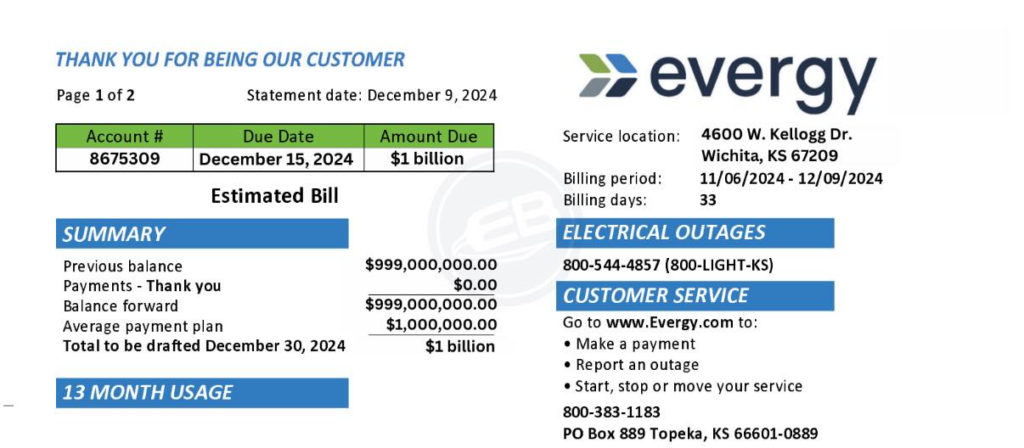
Evergy is the primary electric utility serving customers across Kansas and Missouri. Paying your bill on time helps avoid late fees, potential disconnection, and reconnection charges. Customers can pay securely through the official My Account portal, mobile app, automated phone system, mail, or authorized in-person locations and kiosks.
- https://www.evergy.com/manage-account/billing-link/payment-options — Official hub listing every payment method (online, app, text, phone, mail, and in-person), plus Auto Pay and Average Payment Plan enrollment.
- https://www.evergy.com/manage-account/my-account — Secure login and registration page for viewing bills, making payments, checking usage history, setting up paperless billing, and arranging payment plans.
Pay Online via My Account
The recommended way to pay is through a registered My Account. Registration is free and requires your account number (found on your bill) and basic contact information. Once signed in, you can:
- Make a one-time payment using a bank account (checking or savings) or credit/debit card.
- View current and past bills along with payment history.
- Enroll in paperless billing and set email or text alerts.
- Review energy usage data.
Log in or create an account at https://www.evergy.com/manage-account/my-account and select the Make a Payment option. Online payments are processed securely. Credit and debit card payments may include a disclosed convenience fee; bank draft (ACH) payments are typically free of service charges from Evergy. Payments generally post within 1–2 business days.
A free Evergy mobile app is available for iOS and Android. Search for “Evergy” or “Evergy Electric” in the Apple App Store or Google Play. The app supports bill payment, usage tracking, outage reporting, and account management.
Pay by Phone
Call the automated payment system at 1-888-471-5275 (Kansas Metro, Missouri Metro, and Missouri West customers). Kansas Central customers should use 1-800-383-1183. Have your account number ready and follow the voice prompts to pay by bank account or credit/debit card. A confirmation number is provided upon successful completion. Live customer service is available during normal business hours at the same numbers.
Pay by Mail
Mail a check or money order payable to Evergy. Include the remittance stub from your bill or clearly write your full account number on the payment. Do not send cash. Use the return envelope provided with your paper bill when possible.
Mailing addresses vary by service area:
- Missouri West: Evergy, P.O. Box 219703, Kansas City, MO 64121-9703
- Missouri Metro / Kansas Metro: Evergy, P.O. Box 219330, Kansas City, MO 64121-9330
- Kansas Central: Evergy, P.O. Box 219915, Kansas City, MO 64121-9915
- Kansas South: Evergy, P.O. Box 219089, Kansas City, MO 64121-9089
Allow extra time for postal delivery and processing (typically several business days after receipt). Confirm the correct address for your area on your bill or the official mail payment page.
Pay In Person or at Kiosks
Authorized in-person payment is available at Evergy Connect locations and participating self-service kiosks or payment agents. Bring your bill or account number. Cash and checks are commonly accepted at agent locations; kiosks may support additional methods. Payments at authorized locations process in real time.
Evergy Connect – Kansas City
1710 Paseo Blvd., Kansas City, MO 64108
Walk-in hours: Monday–Friday, 9:00 a.m. – 4:00 p.m.
Virtual appointments: Call 816-414-5400 or email [email protected]
Evergy Connect – Wichita
111 Ellis St., Wichita, KS 67211
Walk-in hours: Monday–Friday, 9:00 a.m. – 4:00 p.m.
Virtual appointments: Call 316-440-2070 or email [email protected]
Both locations close on major holidays. Specialists assist with payments, payment arrangements, and assistance program applications. For other authorized agent locations near you, check the Pay Locations information on the Evergy website or contact customer service.
Bill Assistance and Payment Plans
If you are having difficulty paying, Evergy offers several options. Contact customer service at 1-888-471-5275 or visit an Evergy Connect location for help. Key resources include:
- Payment arrangements, extensions, and installment plans (available online in My Account or by phone).
- Average Payment Plan (levels monthly amounts based on recent usage history).
- Adjustable due dates for qualifying Social Security or SSI recipients.
- Connections to state and local energy assistance programs (income eligibility applies; some funds can take up to 30 days to post).
- Economic Relief Pilot Program (Missouri residential customers meeting income guidelines may receive monthly credits; apply through partner agencies such as The Salvation Army).
- Income-Eligible Weatherization for free home efficiency upgrades (income limits generally at or below 200% of Federal Poverty Guidelines).
- Medical hardship support, including temporary disconnection delays in qualifying cases.
Details and application guidance are available at https://www.evergy.com/manage-account/billing-link/energy-assistance. Always use official Evergy channels. The company does not request payment via gift cards, prepaid cards, or peer-to-peer apps, and it does not threaten same-day disconnection without prior notices.
Frequently Asked Questions
How do I pay my Evergy bill online?
Sign in or register at https://www.evergy.com/manage-account/my-account, then select Make a Payment. You can also use the free Evergy mobile app.
Can I pay without creating an online account?
Primary online payments are made through a registered My Account. For a quick one-time payment without logging in, use the automated phone system at 1-888-471-5275 (or 1-800-383-1183 for Kansas Central) or mail a payment.
What phone number do I call to pay my Evergy bill?
Call 1-888-471-5275 for Kansas Metro, Missouri Metro, and Missouri West. Kansas Central customers should call 1-800-383-1183. Follow the automated prompts and have your account number ready.
Where do I mail my Evergy payment?
Use the address printed on your bill or the region-specific P.O. Box listed above (all in Kansas City, MO). Include your account number and allow extra processing time.
Can I pay my Evergy bill in person?
Yes. Visit an Evergy Connect location (Kansas City or Wichita addresses and hours listed above) or an authorized payment agent/kiosk. Bring your bill or account number.
Does Evergy offer payment assistance or plans?
Yes. Call 1-888-471-5275, log in to My Account, or visit an Evergy Connect center for payment arrangements, Average Payment Plan enrollment, and referrals to energy assistance programs.
