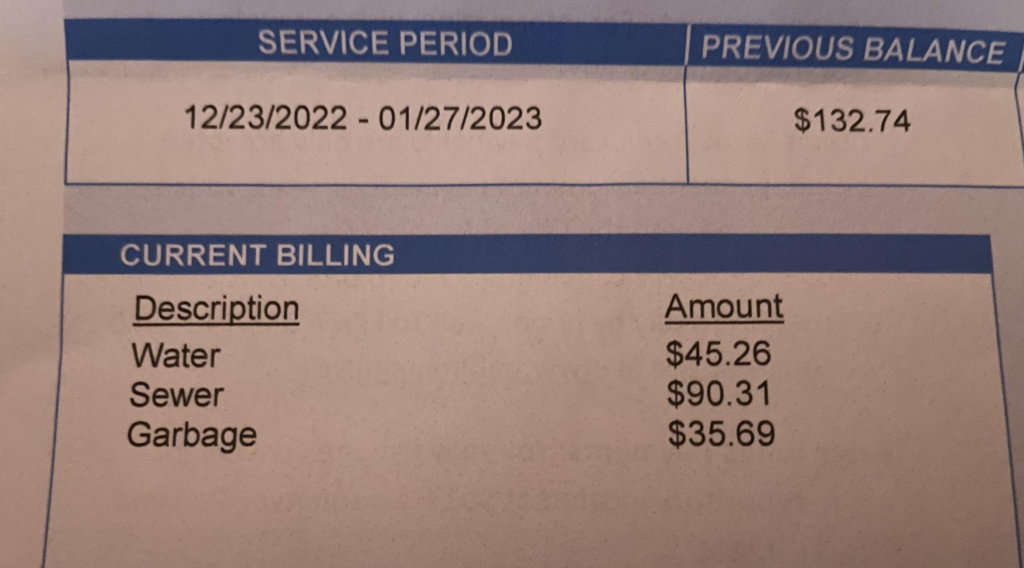
Panama City Utilities (City of Panama City, Florida) provides water, wastewater, stormwater, and sanitation services to residential and commercial customers. Timely payment of your utility bill prevents late fees, service disconnection, reconnection charges, or liens on your property. As of January 2026, all online utility payments are processed exclusively through the City’s new secure InvoiceCloud platform (the previous Paymentus system is no longer available).
Official Panama City Utility Payment Resources
- Online Payments (InvoiceCloud Portal) – Direct access to the official InvoiceCloud payment system; supports guest/one-time payments without login using your account number : https://www.panamacity.gov/358/Online-Payments
- Payments Overview – Complete official guide to every payment method, including AutoPay, phone, mail, in-person options, and current fees : https://www.panamacity.gov/152/Payments
1. Guest Pay / One-Time Payment (No Login Required – Fastest for Quick Payments)
The official InvoiceCloud portal supports guest/one-time payments without creating an account.
How to pay as a guest:
- Go directly to the Online Payments page: https://www.panamacity.gov/358/Online-Payments.
- Enter your utility account number (found in the upper left or lower right of your bill).
- Select your payment amount and choose bank account (ACH/eCheck – no fee) or credit/debit card.
- Review and submit for instant confirmation.
Payments typically post within 1–2 business days. This method is ideal for one-time or urgent payments without registration.
2. Pay Online via Full Account Access (Recommended for Recurring Needs)
Create a free account in the InvoiceCloud portal for complete management:
- Visit the Online Payments page above and register using your account number and email.
- View current balance, billing history, usage, and set up recurring payments or AutoPay.
- Multiple bills can be paid in one transaction to minimize fees.
3. Pay by Phone (Automated Option)
Call the official automated payment line: 844-730-0458 (24/7 availability). Have your account number ready. Credit/debit card or bank account payments are accepted (same fees as online).
4. Pay by Mail
Mail a check or money order (payable to “City of Panama City”) – no convenience fee. Use the remittance coupon from your bill or clearly write your full account number. Mailing address is printed on your monthly statement. Allow 5–7 business days for processing.
5. Pay In Person
Visit City Hall:
- Location: 501 Harrison Avenue, Panama City, FL 32401
- Hours: Monday–Friday, 8:00 AM – 5:00 PM
- After-hours drop boxes are available at City Hall.
Cash, checks, or money orders are accepted. Payments are credited the same business day when made during business hours.
6. Automatic Bill Pay (Free ACH Option)
Enroll in Automatic Bill Pay through the InvoiceCloud portal or submit an ACH Authorization Form (with voided check) to the Utility Billing Department at City Hall. Payments are deducted automatically from your checking or savings account on the due date. This is the lowest-cost recurring method.
7. Payment Assistance & 2026 Updates
If you are experiencing financial hardship, contact Utility Billing immediately to discuss payment arrangements or extensions before your due date. The City offers case-by-case options to avoid disconnection.
Important 2026 Notes
- The City fully transitioned to InvoiceCloud in January 2026. All previous Paymentus accounts must be re-registered.
- Always use official panamacity.gov domains and the verified phone numbers above.
- Late payments may result in disconnection after proper notice.
- For emergencies (water leaks, sewer backups, etc.), call the appropriate utility emergency line listed on your bill or contact City Hall.
Customer Service Contacts
- Utility Billing & Customer Service: (850) 872-3166 (Monday–Friday, business hours)
- Payment inquiries or arrangements: Same number
Frequently Asked Questions (FAQs)
1. What is the official online portal for Panama City utility bills? Use the InvoiceCloud portal accessed via https://www.panamacity.gov/358/Online-Payments (guest pay supported).
2. Is guest/one-time payment available without registering? Yes – pay instantly with just your account number through the official Online Payments page.
3. What are the fees for online payments? Credit/debit card payments incur a $1.75 service fee. Electronic check (ACH) payments are free. Multiple bills can be paid together to reduce fees.
4. What phone number is used for bill payments? Call 844-730-0458 for the 24/7 automated payment system.
5. Where is in-person payment accepted? At City Hall, 501 Harrison Avenue, Panama City, FL (Monday–Friday, 8 AM–5 PM) or use the after-hours drop boxes.
6. How do I enroll in Automatic Bill Pay? Enroll through the InvoiceCloud portal or submit an ACH form to the Utility Billing Department.
7. What happened to the old Paymentus system? It was discontinued as of January 1, 2026. All payments now go through InvoiceCloud.
8. How quickly do online payments post? Most payments post within 1–2 business days.
9. Can I pay multiple accounts at once? Yes – the InvoiceCloud portal allows multiple bills to be paid in a single transaction.
10. What should I do if I cannot pay my full bill? Contact Utility Billing at (850) 872-3166 immediately to discuss payment arrangements.
11. Where can I view my billing and usage history? After registering in the InvoiceCloud portal, full history and statements are available.
12. Are third-party bill-pay services recommended? No. The City only endorses its official InvoiceCloud portal, phone, mail, and in-person options to avoid extra fees or delays.