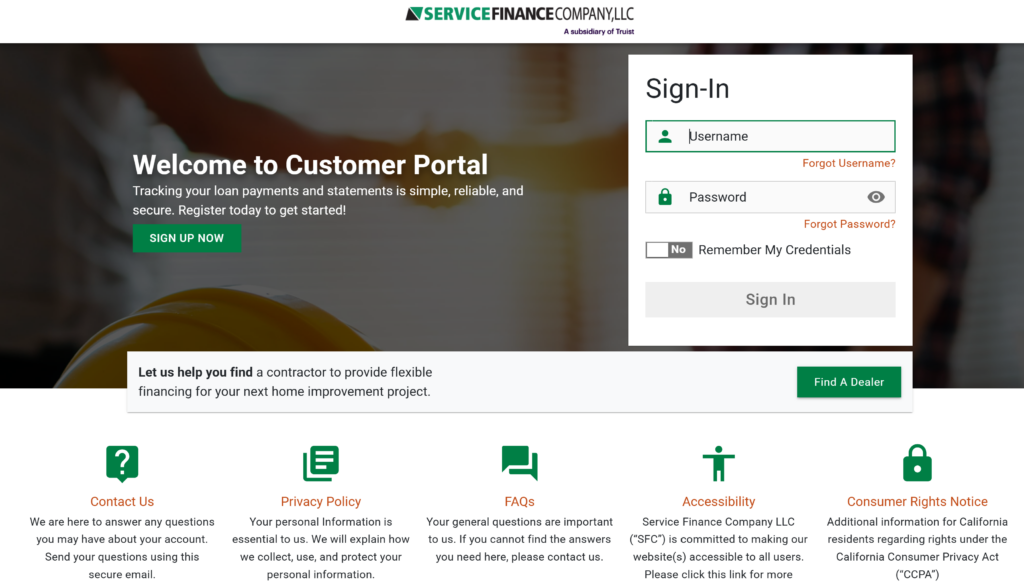
Pay your Service Finance Company (SVCFin) home improvement loan bill quickly and securely using the official borrower portal or mobile app. Make one-time payments, set up recurring Auto Pay, view statements, and manage your account with ease.
- Pay SVCFin Bill Online – Borrower Portal (Register or log in to make payments and manage your loan)
- Service Finance Borrower App – One-Time & Recurring Payments (Download for iOS or Android to pay from your phone)
How to Pay Your SVCFin Bill
Service Finance Company, LLC (SVCFin) provides flexible financing for home improvement projects (HVAC, roofing, windows, etc.) through contractors. Payments are handled through the secure borrower portal at myloan.svcfin.com or the Service Finance Borrower App. Credit/debit cards are not accepted for online payments.
Login to Pay or Guest Pay
The borrower portal at myloan.svcfin.com requires registration the first time (using your loan number and personal details from your statement).
Once registered, you can make one-time payments or manage recurring options.
No standalone guest/one-time pay without registration is available.
Note: Payments can also be made via your bank’s bill pay service or by calling customer support.
Pay by Phone
Call the automated IVR system: (866) 254-0497 (select option 5 for payments).
For live billing support: (866) 254-0497 (option 4) during business hours.
Payment Address (Mail)
Mail checks, money orders, or cashier’s checks to the remittance address printed on your monthly statement.
Include your loan number for proper processing. The address can also be obtained through the IVR (option 5) or the portal.
In-Person or Pay in Store
No in-person payment locations or retail “pay in store” partners are offered. All payments must be made online, by phone, mail, or through your bank’s bill pay service.
SVCFin Mobile App & Payment Assistant
Download the Service Finance Borrower App (available on Apple App Store and Google Play) to:
- Make one-time or recurring payments
- View account balances and billing statements
- Manage your loan account securely
The portal is also fully mobile-responsive.
Enroll in recurring payments (Auto Pay) through the portal or app for automatic monthly deductions from your bank account.
Fees and Late Payments
- Accepted payment methods: Check, ACH (bank account), money order, or cashier’s check.
- No credit/debit card payments accepted online.
- Late payments may result in late fees and negative credit reporting. Contact support early for payment arrangements.
Contact SVCFin (Service Finance Company)
- Billing & Payments Support: (866) 254-0497 (options 4 or 5)
- General Inquiries: [email protected]
- Mailing Address: Use the address on your monthly statement
- Official Website: www.svcfin.com
- Borrower Portal: myloan.svcfin.com
Frequently Asked Questions
How do I pay my SVCFin bill online?
Register or log in at myloan.svcfin.com to make payments. You can also use the Service Finance Borrower App.
Can I make a guest payment for my SVCFin bill?
No standalone guest pay is available. You must register in the borrower portal the first time.
What is the phone number to pay my SVCFin bill by phone?
Call (866) 254-0497 and select option 5 for the automated system or option 4 for live billing support.
Where do I mail my SVCFin payment?
Use the remittance address printed on your monthly statement. Include your loan number.
How do I set up recurring payments with SVCFin?
Log in to the borrower portal or use the app to enroll in recurring ACH payments from your bank account.
Is there a mobile app for SVCFin bill pay?
Yes. Download the Service Finance Borrower App to pay bills, view statements, and schedule payments.
How do I avoid late fees on my SVCFin loan?
Enroll in recurring payments, pay early through the portal or app, or contact support at (866) 254-0497 before the due date.
What payment methods does SVCFin accept?
Check, ACH (bank account), money order, or cashier’s check. Credit/debit cards are not accepted for online payments.
Information updated as of April 2026 from official Service Finance Company (SVCFin) sources. Always verify the latest details directly on svcfin.com or myloan.svcfin.com, as payment options and contact numbers may change.