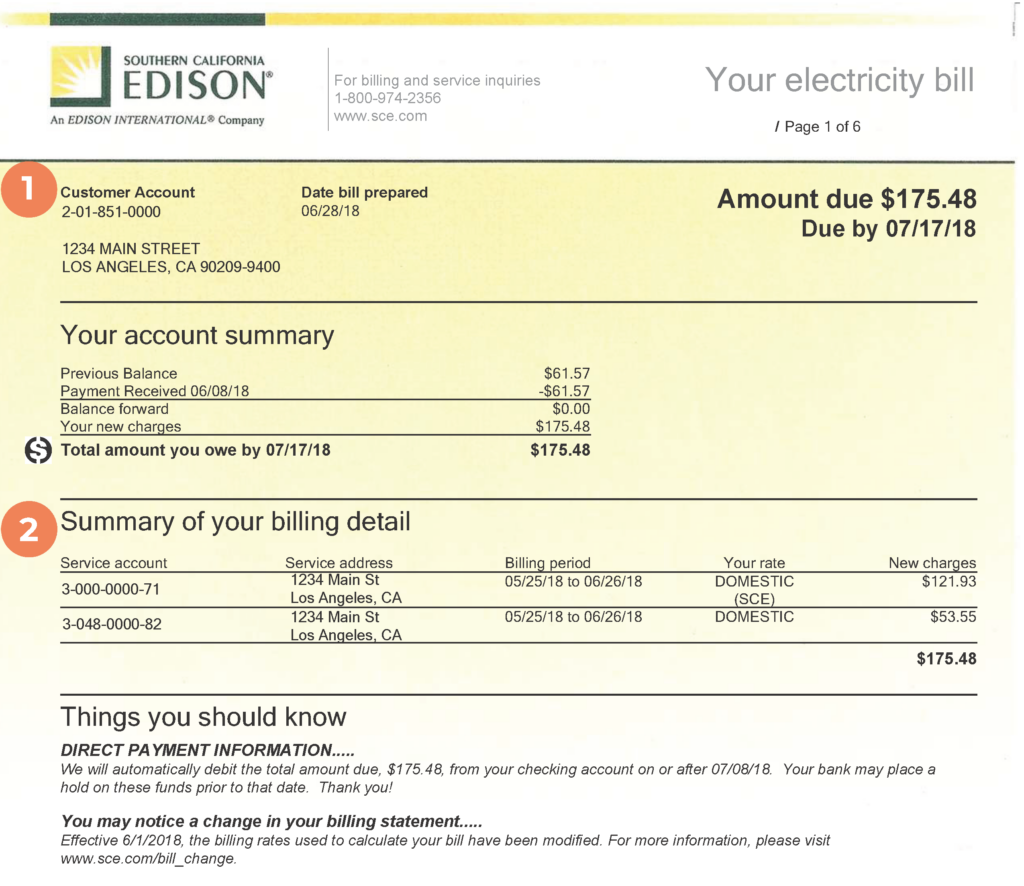
Southern California Edison (SCE) customers have multiple convenient options to pay their electric bills, including fast guest payments online or by phone, full account management through My Account, in-person payments at authorized locations, and traditional mail. SCE also offers Auto Pay and payment arrangement options for those who need flexibility.
- Customers can make one-time or guest payments and manage their accounts through the official SCE Pay Your Bill page at https://www.sce.com/my-account/pay-my-bill.
- For complete billing and payment options, visit the main SCE website at https://www.sce.com/.
Guest Pay / One-Time Payment (No Account Login Required)
SCE offers a convenient one-time payment option that allows you to pay without creating an account or logging in.
Ways to make a guest/one-time payment:
- Online: Visit https://www.sce.com/my-account/pay-my-bill and select the guest payment option. You can pay with a credit or debit card, digital wallet (Venmo, PayPal, Google Pay, Apple Pay), or checking account.
- By Phone: Call 1-800-284-2365 and follow the automated prompts. Have your account number ready.
This option is ideal for quick payments when you don’t want to register for a full My Account.
Online Payments Through My Account
For full account access and recurring features, log in or register for My Account at sce.com.
Benefits include:
- View current and past bills
- Make one-time or recurring payments
- Set up Auto Pay
- Monitor usage and manage preferences
- Request payment arrangements
Accepted payment methods online: Credit/debit cards, digital wallets, and checking account (for Auto Pay).
Note on fees: A convenience fee applies to credit/debit card and digital wallet payments (charged by the payment processor, not SCE). There is no fee for payments made with a checking account through Auto Pay.
Pay by Phone
Make secure payments using SCE’s automated phone system.
- Call 1-800-284-2365 for one-time payments (available 24/7)
- Call 1-800-877-8600 to save your banking information for future use
No fee applies for phone payments.
Pay In Person
You can pay your SCE bill in person at any Authorized Payment Agency (APA).
- Find a location near you using the APA Map on the SCE website (search by ZIP code or city).
- Pay with cash, check, or money order.
- Give the clerk the payment stub from the bottom of your bill and keep your receipt.
- No additional fee for in-person payments at authorized locations.
Many locations, including Western Union partners, offer extended hours. SCE no longer operates its own local payment offices in many areas, so use the official APA map for the most current locations.
Pay by Mail
Mail your payment with the remittance stub from your bill.
Residential customers: Southern California Edison P.O. Box 600 Rosemead, CA 91771-0001
Business customers: Southern California Edison P.O. Box 300 Rosemead, CA 91772-0001
Use a check or money order. Allow 2–5 business days for processing. Include your account number on the check.
Automatic Payments (Auto Pay)
Set up Auto Pay through My Account to have your bill automatically paid from your checking account each month.
- Log into My Account at sce.com
- Navigate to the billing or payment settings section
- Enroll using your checking account information
This option has no convenience fee and helps ensure timely payments.
Contact SCE Customer Service
For billing questions, payment arrangements, or assistance:
- General Customer Service: 1-800-655-4555 (available 24/7 for many inquiries)
- Payment Assistance / One-Time Payments: 1-800-284-2365
- Website: https://www.sce.com/
Representatives can help with payment plans, financial assistance programs, and account-specific questions.
Frequently Asked Questions
Can I pay my SCE bill without creating an online account?
Yes. Use the guest/one-time payment option on the Pay Your Bill page at https://www.sce.com/my-account/pay-my-bill or call 1-800-284-2365.
Where can I pay my SCE bill in person?
Pay at any Authorized Payment Agency (APA). Find locations using the map on the SCE website. Cash, check, and money order are accepted with no additional fee.
What is the mailing address for SCE payments?
Residential: P.O. Box 600, Rosemead, CA 91771-0001. Business: P.O. Box 300, Rosemead, CA 91772-0001. Include the payment stub and your account number.
Is there a fee for paying with a credit card?
Yes. A convenience fee applies to credit/debit card and digital wallet payments (charged by the payment processor). There is no fee for phone payments, mail, in-person cash/check/money order, or Auto Pay with a checking account.
How do I set up automatic payments?
Log into My Account at sce.com and enroll in Auto Pay using your checking account. This option has no convenience fee.
What should I do if I need more time to pay my bill?
Log into My Account to request a payment arrangement, or call 1-800-284-2365. SCE also offers financial assistance programs for eligible customers.